Subscription Plans & Pricing
How to use Poindeo Free, upgrade to Pro, and cancel subscription.
How to Upgrade to Poindeo Pro, or Cancel Subscription
Poindeo provides a lifetime Free version - access core editing features, and a Pro upgrade to unlock advanced features for editing. Now enter access to get time-limited lifetime deals!
Poindeo Free and Pro
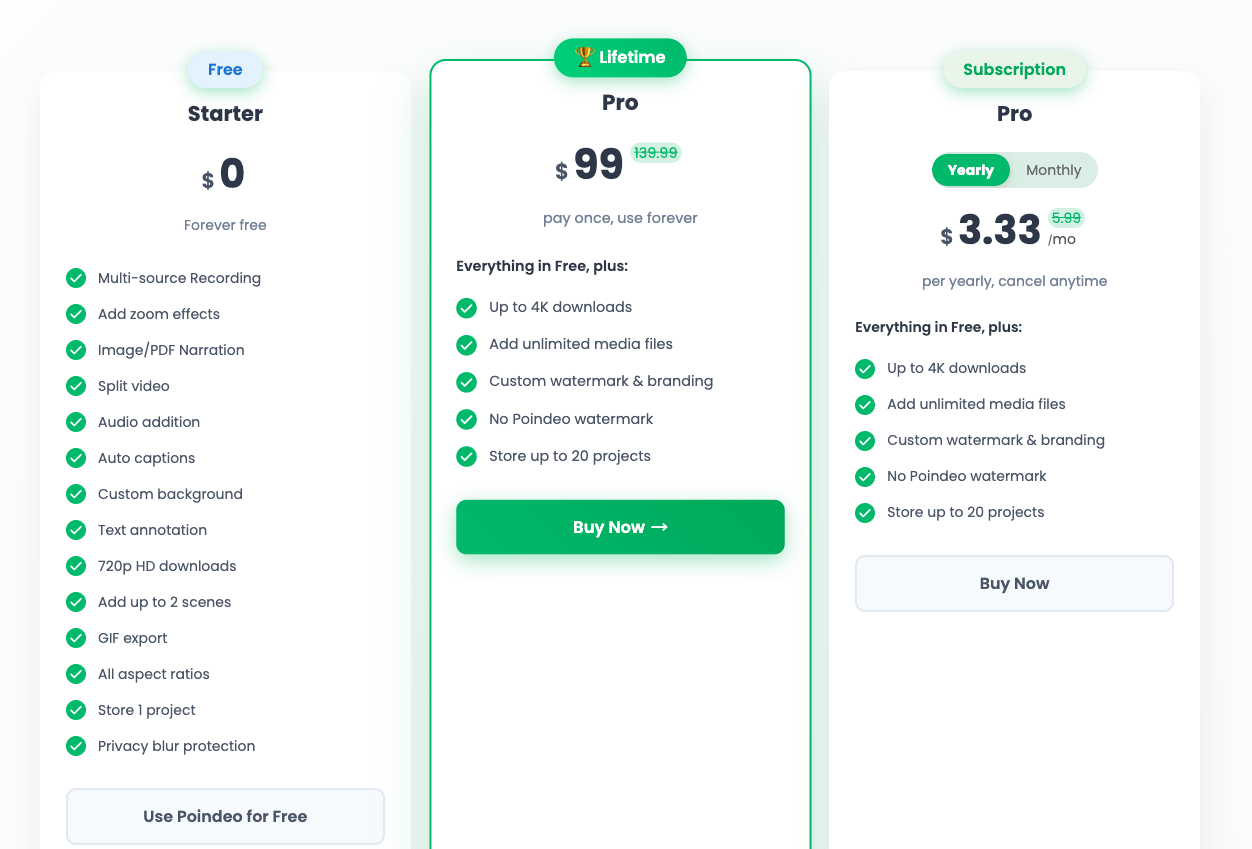
Poindeo Free version is free to use forever. It provides core features, including multi-source recording, zoom effects addition, audio addition, background customization, and more.
And Poindeo Pro includes all core features in the Free version, plus advanced features up to 4K downloads, unlimited media file uploading, watermark customization, and newly developed features like project saving.
You can now upgrade to Pro via lifetime or subscription version with time-limited deals.
Check Poindeo's roadmap to get the update information and what the new features we’re building.
How to Upgrade to Poindeo Pro
- You can first sign up and try the Free version.
- Click Upgrade button from the top-right.
- On the pricing page, select Lifetime, yearly or monthly version based on your preference, and click Buy Now button.
- Enter your payment details and confirm the upgrade.
- Once successful, your account is upgraded and you can enjoy full Pro features directly.
Purchased Pro without an account? Check your email for a confirmation message containing a temporary 6-digit password. Use it to sign in and start using Pro immediately.
How to Cancel Subscription
If you need to cancel subscription, follow the steps below:
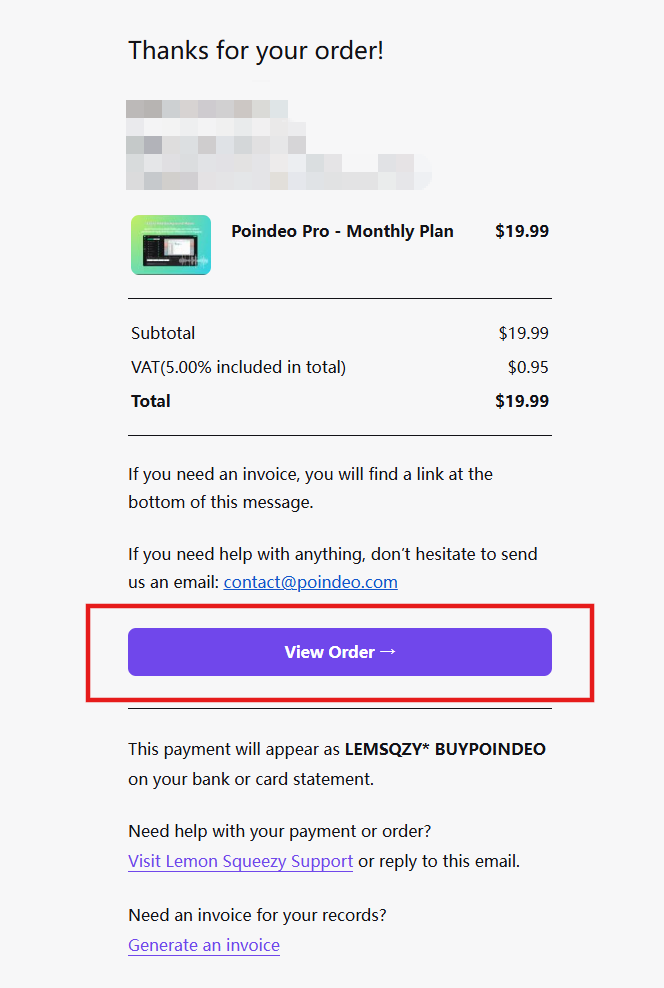
Step 1. Once purchased Pro, you will get an email. Now enter the email, click View Order button.
Step 2. It will redirect you to a platform page. Sign in here.
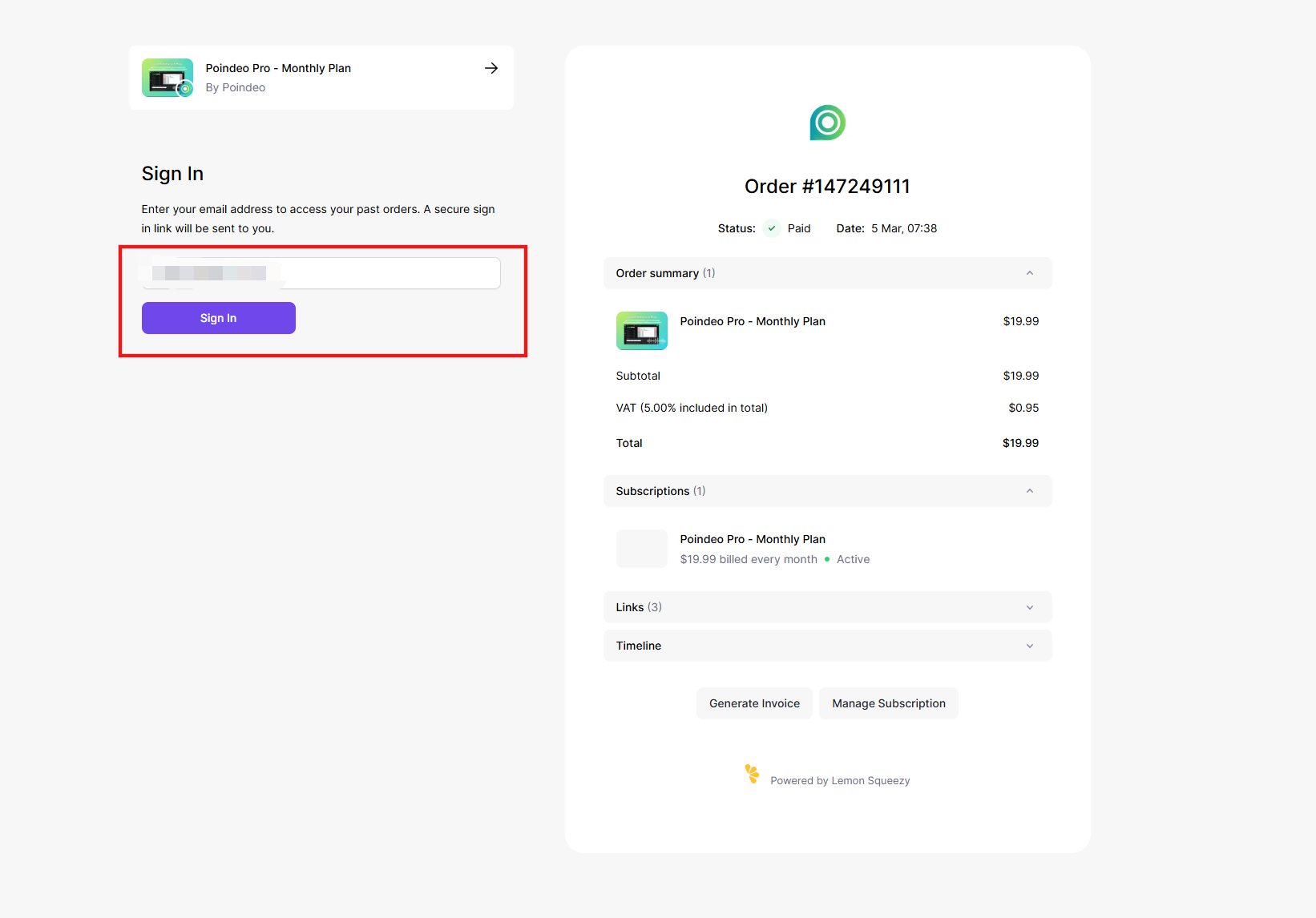
Step 3. Once signed in, click Manage Subscription under the plan you want to cancel.
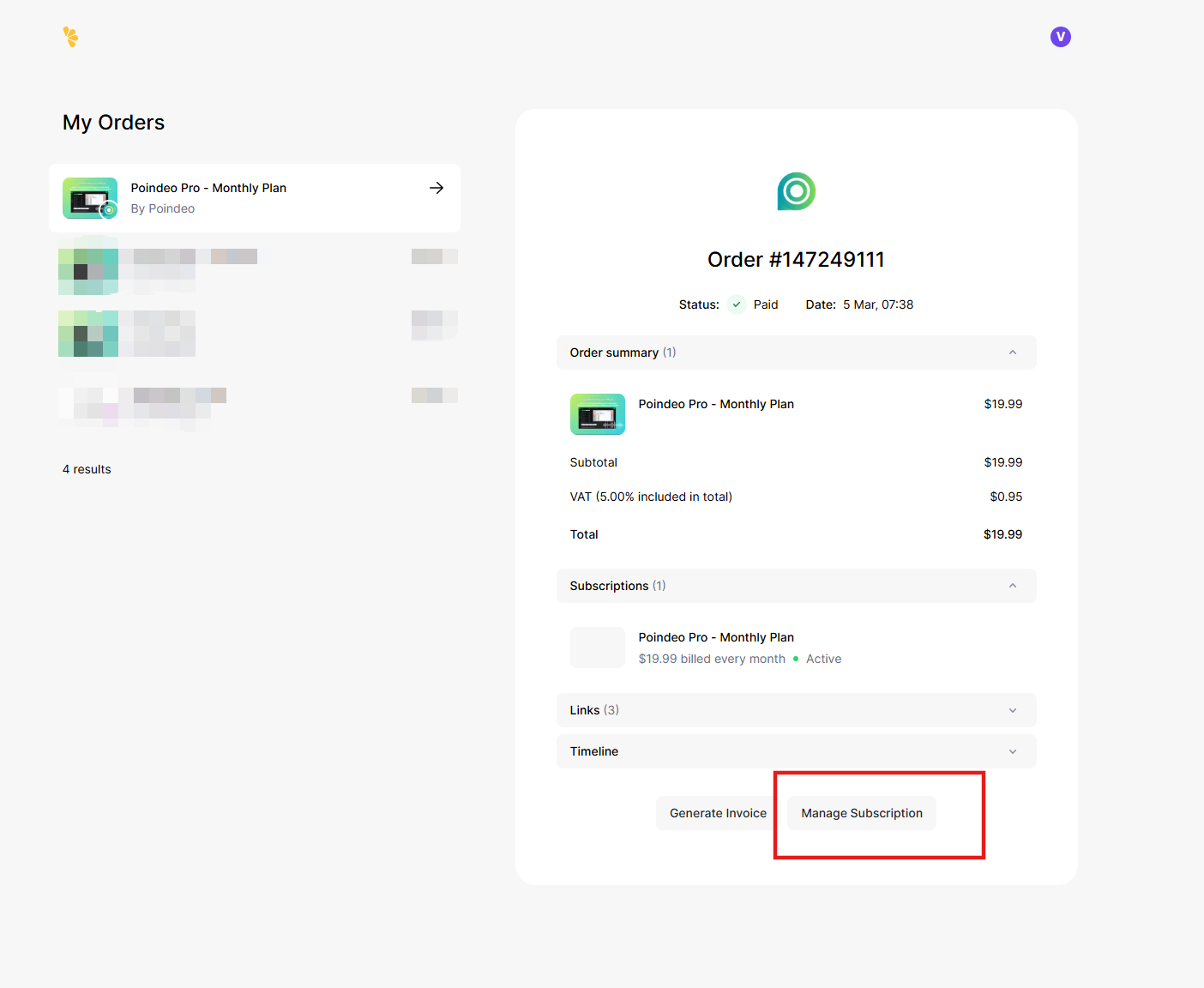
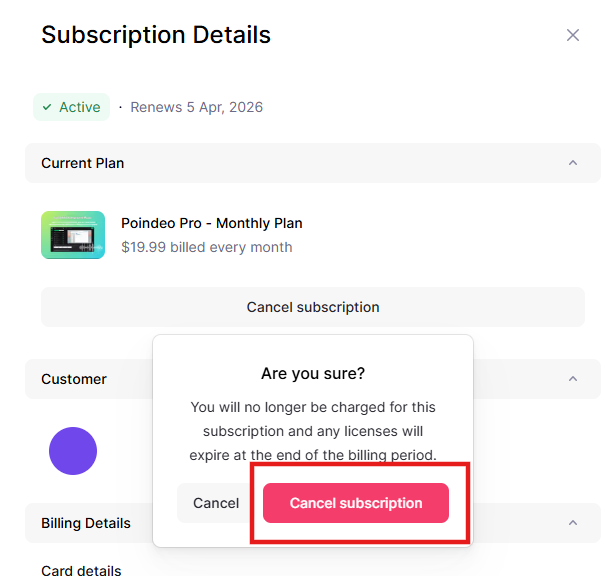
Step 4. Click Cancel subscription.
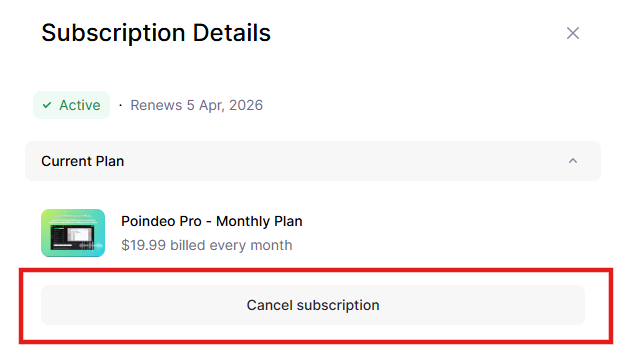
Step 5. Tap on Cancel subscription from the pop-up window to confirm. Your subscription is cancelled successfully, and the status will be "cancelled".