How to Record a Whiteboard
1. Draw on Canvas
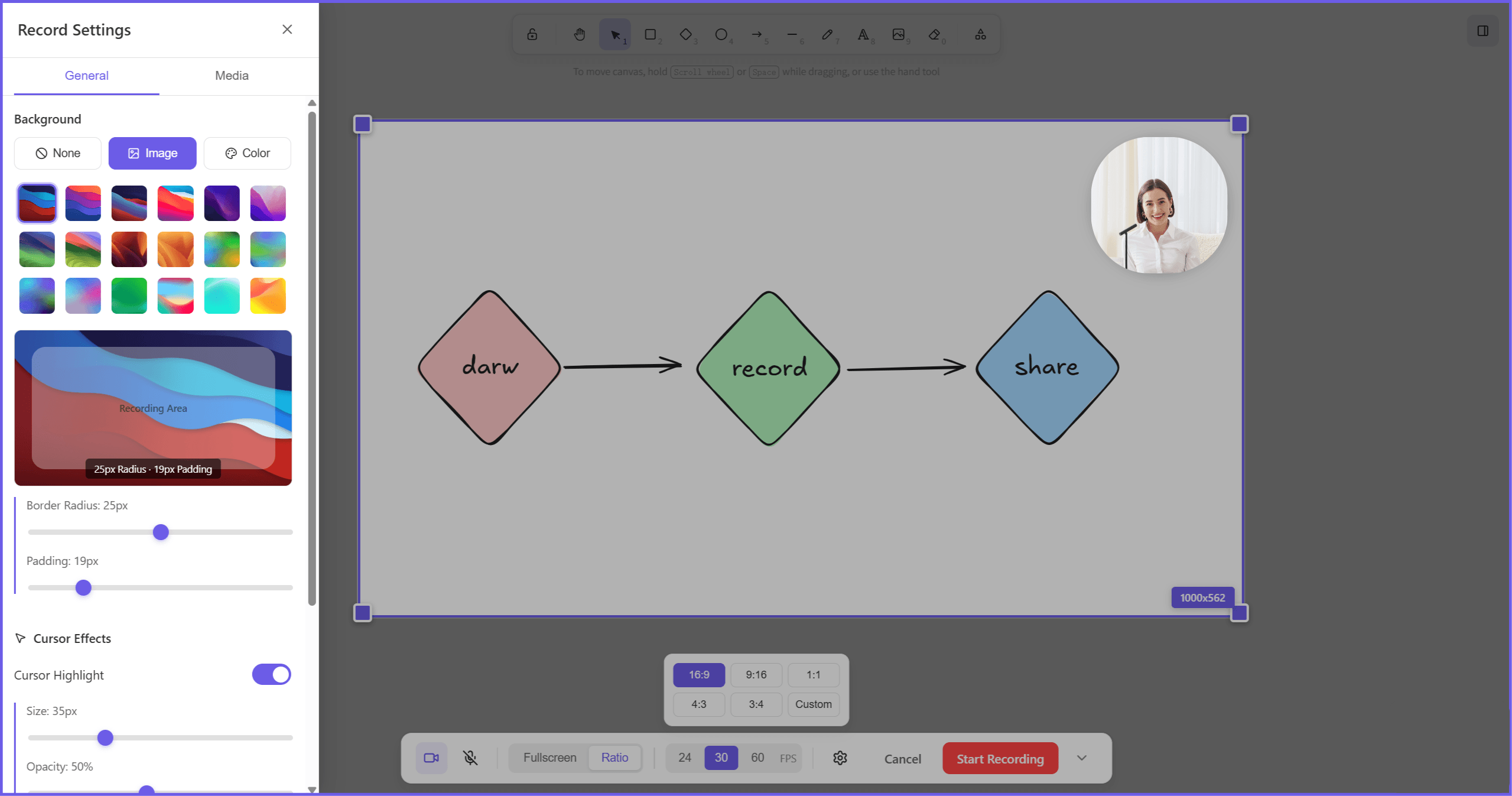
Sketch on the infinite canvas in the hand-drawn Excalidraw style — flowcharts, diagrams, mockups, or freeform notes.
2. Record with Your Camera
Hit record and talk through your drawing, camera and mic included. Auto zoom follows the action — the camera moves to wherever you're clicking and drawing. Pick full-screen, a preset ratio, or drag a custom area; your camera bubble drags anywhere.
3. Enhance and Share
Stop when you're done. Preview and download the video as-is, or click Edit — every zoom point is already on the timeline, ready to tune. Trim, add music and captions, then export.
Why Choose This Recorder for Sharing Your Ideas
Transform Whiteboard into Polished Videos
An infinite canvas to create on, a recorder to capture it, and auto zoom that follows your pen while you work. Record with picture-in-picture, custom backgrounds, and dynamic cursor highlights. From raw sketches to complex diagrams, draw and record it all in one place.
Dynamic Layouts
No need to take time for re-cropping or composition. This recorder supports fullscreen recording, records with preset aspect ratios (16:9, 9:16, 1:1, 4:3, 3:4), or you can drag the outline box to customize the recording area. So you can share your creations directly on any social platform like YouTube, TikTok, X, and Instagram.
Editable Whiteboard Recorder
Every zoom the recorder adds is editable afterward — drag it, change the magnification, retime it, or delete it. Add more zoom and pan effects by hand if a moment needs one. Trim, split, and add music on the timeline, then export in flexible formats — step-by-step guides, product demos, and lessons come together easily.
Made for Tutorials, Diagrams, and Brainstorms
- Content creators make how-to videos that stand out on social media — the hand-drawn style does half the work.
- Teams record product demos, training, and remote workshops. Replaying the drawing process traces the path a discussion took — useful for retros and for onboarding new teammates.
- Educators demonstrate complex logic with flowcharts and step-by-step explainers that beat static images.
FAQs about Whiteboard Recording
What can I record?
You can draw and record visual designs like sketches and illustrations, logical drawings like flowcharts and diagrams, educational content like presentations and tutorials, and other brainstorming or planning ideas.
Can I create content for both YouTube and TikTok?
You can choose to set the recording ratio first for 16:9 or 9:16, and the advanced editing tool also gives you options to change aspect ratio without re-recording.
How to make viewers see where I'm pointing?
Enable cursor and click effects, and drag your camera bubble wherever it helps. Your audience follows every stroke as if they were standing next to the screen.
How do the smooth zoom effects work?
While you record, Poindeo tracks where you click and draw and moves the camera there — a zoom lands on each spot, no keyframing. Afterward, every zoom point is editable: magnification, timing, position, or delete it entirely.
Is this related to the Poindeo Chrome extension?
They work together. The whiteboard records in your browser with auto zoom built in; the Chrome extension adds the same auto-zoom recording to anything else on your screen — other tabs, apps, your product. Both hand off to the same editor.
Is it free to use?
The free plan covers up to 2 scenes and exports at 720p with a light watermark. Pro removes the watermark, lifts the scene limit, and unlocks 4K.