It’s midnight on the West Coast. Your product is finally live. You’ve spent months building, designing, and over-caffeinating for this exact moment. Now, you’re just staring at the dashboard, waiting for the first upvote, the first comment—any sign of life.
You know the drill: you need to engage. To hit the top of the leaderboard, you need to drive traffic and rally support. But every time you go to type a comment or send a DM, a nagging thought stops you:
“Am I being spammy?”
It’s a fair question. The Product Hunt community is incredibly supportive, but they have a radar for inauthenticity. They can spot a “growth hack” instantly. If you come across as a bot or a desperate salesperson, you won’t just be ignored—you risk getting flagged, buried by the algorithm, or roasted in the comments.
The problem is, most advice out there is unhelpfully vague. “Just be authentic! Add value!” Great, but what does that actually look like when the clock is ticking, and you have 24 hours to make an impact?
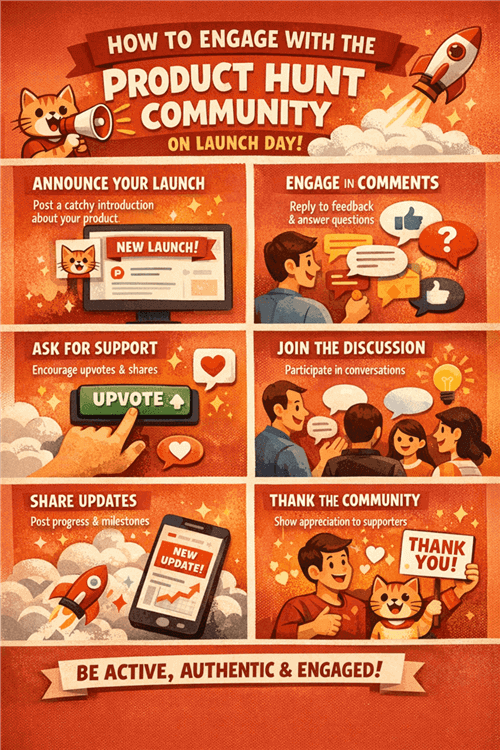
This guide is your tactical playbook. We’re ditching the generic “Thanks for the support!” comments and looking at a better way to connect: Visual Communication. We’ll show you how to use video, screen recordings, and dynamic assets to prove there’s a real human behind the product, not just a marketing script.
Transactional vs. Relational Engagement
Before we get into specific tactics, we need to understand the psychology of the Product Hunt user. This understanding is the difference between a top 5 finish and fading into obscurity.
Defining "Spam" in the Context of Launch Day
Spam isn’t just about sending unsolicited emails. On Product Hunt, spam is defined by intent.
- Transactional Intent (Spam): “I am here to take your upvote. I don't care about you, your problems, or your feedback. I just want the number to go up.”
- Relational Intent (Engagement): “I am here to give you a solution. I built this because I think it helps you. I want to know if I’m right.”
The community rewards Relational Intent. When you ask for an upvote, you are asking for a transaction. When you ask for feedback, you are starting a relationship.
The Algorithm Doesn't Lie
Product Hunt’s ranking algorithm is a black box, but we know it prioritizes engagement depth. A product with 500 upvotes and zero comments often ranks lower than a product with 300 upvotes and a thriving, active discussion thread. Because comments indicate interest. But not all comments are created equal.
- Low-Weight Signal: “Nice job!” (Easy to fake, easy to automate).
- High-Weight Signal: A thoughtful question followed by a detailed reply from the Maker.
Your goal on Launch Day is not to hunt for upvotes directly. Your goal is to hunt for conversations. Upvotes are simply a byproduct of good conversations.
Further Reading: 10 Best Product Hunt Alternatives >
Mastering the "Maker Comment" (Your First Impression)
The "Maker Comment" is the first comment on your product’s page, usually written by you (the founder). It is the most important piece of copy you will write on Launch Day.
Most founders treat this like a press release. They paste a wall of text filled with buzzwords like "AI-driven," "paradigm-shifting," and "revolutionary." Do not do this.
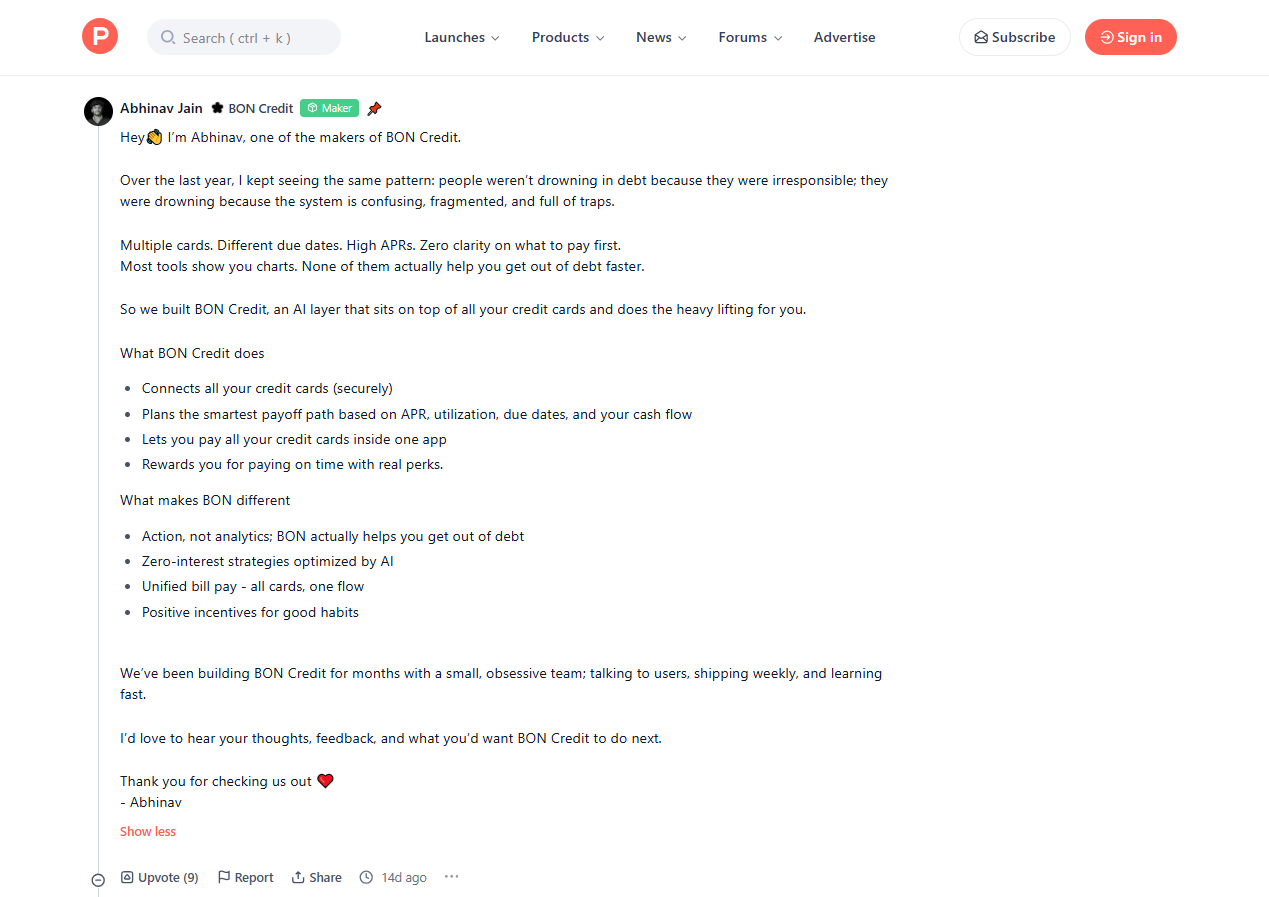
The Anatomy of a Perfect Maker Comment
A great Maker Comment does three things:
- Establishes Origin: Why did you build this? (The Pain).
- Explains Function: What does it do? (The Solution).
- Invites Participation: What do you want from them? (The Ask).
The Visual Gap: Show, Don't Just Tell
Here is where you can beat 90% of your competitors. The Product Hunt comment section is notoriously text-heavy—a "wall of grey" that fatigues users as they scroll through paragraph after paragraph.
Break the pattern with video.
Instead of just writing about your product features, you need to show them. But live screen recordings can be messy, and video editing takes too long. This is where Poindeo becomes your Launch Day superpower.
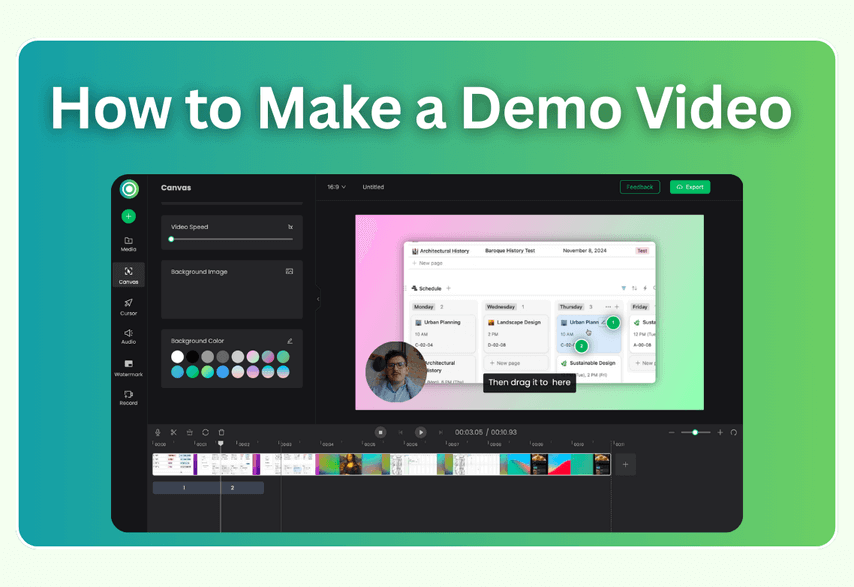
What is Poindeo? Poindeo is a visual communication platform built for speed and clarity. Unlike complex video editing software that requires rendering and uploading, Poindeo lives in your browser, allowing you to record, edit, and share professional-looking demos in seconds. It bridges the gap between a quick screenshot and a full production video.
On launch day, you are juggling a million tasks. You don't have time to learn Premiere Pro. Poindeo’s feature set is tailored for speed and clarity:
- Simultaneous Cam + Screen Recording: Poindeo captures your screen and your webcam at the same time. This allows you to point to specific features on your dashboard while maintaining eye contact with the viewer. It’s the closest thing to standing next to the user.
- The "Smart Zoom" Advantage: On a mobile screen or a crowded Product Hunt feed, users squint to see details in standard videos. With Poindeo, you simply click an area of your screenshot, and it automatically creates a smooth Smart Zoom effect. It instantly directs the viewer's eye to the exact button or data point you are talking about—no complex editing required.
- Interactive Narration & AI Captions: Authenticity matters. Don't just show static screenshots or PDFs—walk your audience through them. Use Poindeo’s recorder to narrate while pointing out and highlighting key details in real-time. Finally, generate Automatic AI Captions with one click—crucial for the 80% of users who watch on mute.
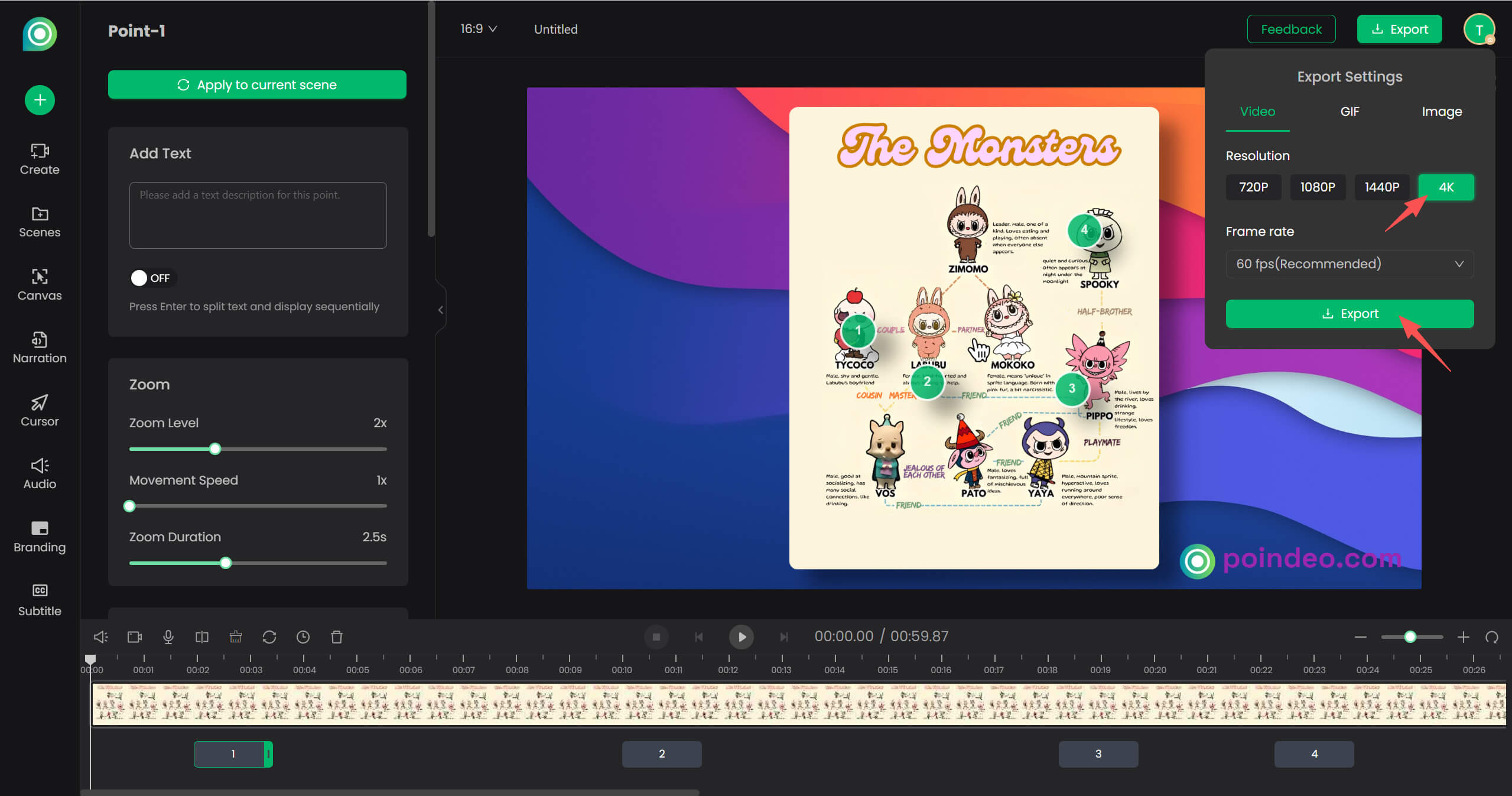
- One Asset, All Platforms: A Product Hunt video needs to be horizontal (16:9), but your Twitter/X promo should be vertical (9:16). Poindeo lets you export your project in all major aspect ratios without redesigning it. Create once, publish everywhere.
Why Video Wins on Product Hunt:
- Clarity: Use Smart Zoom to highlight specific features so users "get it" in seconds.
- Accessibility: AI Captions ensure everyone can understand your pitch, regardless of their environment.
- Dwell Time: A dynamic, narrated video keeps users on your page longer, sending positive signals to the Product Hunt ranking algorithm.
Template: The Hybrid Maker Comment
Here is a script you can adapt:
"Hey Product Hunt! 👋 I’m [Name], the maker of [Product].
Three years ago, I was struggling with [Problem]. I tried every tool on the market, but they were all too clunky or expensive. So, I decided to build a solution myself.
[Product] is designed to help you [Main Benefit].
I recorded a quick 45-second video to show you exactly how it works and my favorite hidden feature:
[Insert the YouTube Video Link or a GIF Here]
We are live and I’ll be hanging out here all day. I’d love to know: Does this solve the problem for you? Let me know in the replies!"
How to Reply to Comments Like a Pro
By 10:00 AM, hopefully, the comments are rolling in. This is where many founders drop the ball. They get tired. They start copy-pasting.
- User: "Great product!"
- You: "Thanks!"
- User: "Looks cool."
- You: "Thanks!"
This is the "Bot Behavior" trap. If a user scrolls down your page and sees 50 identical "Thanks!" replies, they will assume you aren't actually reading them.

Strategy 1: The "High-Effort" Reply
Treat every comment as a mini-interview.
- Check their profile: If they are a designer, ask how your product fits into a design workflow.
- Use their name: It sounds simple, but it matters.
- Ask a follow-up: Never end a sentence with a period. End with a question mark. This encourages them to reply again (doubling your engagement score).
Strategy 2: Triage with Visuals
The most valuable comments you will get are questions or confusion.
- "Does this integrate with Notion?"
- "I don't get how the export feature works."
The Amateur Move: Typing out a 3-paragraph technical explanation that is hard to follow.
The Pro Move: Recording a 20-second "Micro-Demo."
How to do it:
- Open Poindeo in your browser.
- Hit record.
- Say: "Hey [User Name], great question! Yes, it does integrate. Let me show you exactly where that button is..."
- Act on the screen.
- Stop recording, copy the link, and paste it into the reply.
You just created a personalized asset for one person. That user will be blown away that the founder took 30 seconds to make a video just for them. They are now far more likely to upvote, share, and become a paying customer. Plus, other users scrolling by will see these video links and perceive your support as "Premium Tier."
Strategy 3: Handling Criticism Gracefully
You will get negative feedback. "This is too expensive" or "This is just a clone of X."
- Do not get defensive.
- Do not ignore it.
- Acknowledge and Pivot.
"Fair point, [Name]. We focused on [Feature A], which makes us different from [Competitor] because..."
Promoting on Social Media Without Annoying Your Followers
You need to drive external traffic to your Product Hunt page. However, blasting "We are live! Upvote here!" every hour on Twitter/X and LinkedIn is the fastest way to lose followers.
You need a Content Waterfall Strategy.
1. The "War Room" Post (Human Interest)
People love seeing behind the scenes. They want to see the mess, the coffee cups, the team huddled around a laptop.
-
Post: A photo or short video of your setup.
-
Caption: "We’ve been up since 4 AM prepping for the [Product] launch. Nervous but excited. Come say hi on PH!"
-
Why it works: It’s emotional, not promotional.
2. The "Problem/Solution" Thread (Educational)
Don't lead with the link. Lead with value.
-
Tweet 1: "Marketing reporting is broken. Here is why..."
-
Tweet 2-4: Explain the nuance of the problem.
-
Tweet 5: "We built [Product] to fix this. See how we did it on Product Hunt."
3. The "Visual Teaser" (The Hook)
Use Poindeo to create a fast-paced, 15-second teaser of your product’s "Magic Moment"—the specific instant the user gets value.
-
Platform: LinkedIn, Twitter, Instagram Stories.
-
Context: "The text description doesn't do it justice. Watch this 15-second clip to see [Product] in action."
4. Leveraging Communities (Slack, Discord, Reddit)
This is the highest risk area for spam.
-
Do NOT: Join a Slack group and immediately post your link.
-
DO: engage in communities you are already active in.
-
The Script: "Hey everyone, I've been lurking here for a while and learning a lot. I finally launched the tool I've been working on. It’s free for this community today if you want to give it a spin. Feedback is gold to me right now."
Red Flags - What to Strictly Avoid
To avoid getting flagged or penalized by the algorithm, steer clear of these three common mistakes:
- No "Direct Upvote" Links: Never use links ending in ?vote=true. Product Hunt’s fraud detection penalizes "fast votes" that happen instantly. Always link to your main product page so users can read and vote organically.
- Never Beg for Upvotes: Explicitly asking "Please upvote us" violates Community Guidelines. Fix: Use softer language like "Check us out," "Support the launch," or "Join the conversation."
- Stop Mass Tagging: Tagging 50 strangers on Twitter or bulk-DMing on LinkedIn looks desperate and gets you blocked. Only message people you have actually interacted with in the last 6 months.
Email that user a week later: "Hey, your question inspired this post. Thanks!"
Conclusion
Winning on Product Hunt isn't about gaming the system. It's about enthusiasm. The community wants to support makers who are passionate, present, and transparent.
The best way to show that passion is to remove the barriers between you and the user. Text is a barrier. It’s open to interpretation and feels impersonal. Video is a bridge.
On your next launch day, don't just sit behind your keyboard typing generic replies. Turn your camera on. Show your face. Show your screen.
FAQs: Quick Tips for Launch Day
Q: How many videos should I prepare before launch?
A: At a minimum, have three:
- The "Maker Story" (60s) for your first comment.
- The "Teaser" (30s) for social media.
- The "Deep Dive" (2-3 mins) for your landing page.
Q: Can I use AI voiceovers for my videos?
A: You can, but for a Product Hunt launch, we recommend using your real voice. Imperfections, "ums," and background noise are actually good—they prove you are real.
Q: What if I don't have a webcam?
A: You can use Poindeo to record just your screen with a voiceover. While face-to-face is best, a voiceover screen recording is still infinitely better than a text-only explanation.