A successful Product Hunt launch is arguably the most critical moment for any new product seeking early traction. It’s not about luck; it’s about preparation. While many founders focus on networking and feature finalization, they often overlook the single most powerful conversion lever: your visual assets.
Your Product Hunt page is a 24-hour storefront in a high-traffic digital mall. Every element—from the tiny thumbnail on the homepage to the full demo video—must be engineered for maximum Click-Through Rate (CTR) and conversion.
This is the ultimate guide for makers and marketers to master the visual side of their launch. We'll move beyond generic advice and provide the actionable, technical steps you need, focusing on how a video-first approach can solve the most common asset challenges.
Why Visuals Are Important: The Visual Pre-Launch Strategy
Launching on Product Hunt is a marathon, but the first 8 hours are a sprint. The Product Hunt algorithm prioritizes products that generate rapid, high-quality engagement. How do you get that engagement? By winning the “Scroll Test.”
When a visitor lands on the Product Hunt homepage, they are scrolling through dozens of new products. You have less than three seconds to make them stop, click on your listing, and upvote.
The Leaderboard Effect
High-quality, engaging visuals directly translate into initial upvotes and positive algorithmic signals:
- High CTR: An eye-catching thumbnail and tagline combination get the user to click into your page.
- Low Bounce Rate: A compelling gallery and demo video keep them on the page, signaling quality to the algorithm.
- Conversion: A clear demo and CTA leads to upvotes and sign-ups.
Your pre-launch strategy must therefore be a Visual Strategy—a deliberate, multi-asset narrative where each piece builds anticipation and explains value, starting weeks before launch day.
The Technical Foundation: Essential Asset Specs
Before you dive into design, securing the exact specifications for all your assets is the crucial first step. Adhering strictly to these guidelines and file limitations is the key to ensuring your visuals display flawlessly, maximizing their visual impact, and guaranteeing a smooth, friction-free launch process.
While you should always refer to Product Hunt’s most current official guidelines, the following dimensions are the standard reference for optimal performance.
| Asset Type | Primary Dimensions | File Size Limit | Recommended Format | Purpose on Page |
| Thumbnail (Icon) | 240 x 240 px (Square) | < 3 MB | Animated GIF or High-Contrast JPG | Homepage, Leaderboard, Social Shares |
| Gallery Images | 1270 x 760 px (Landscape) | N/A (Recommended: ≤ 10 MB to avoid upload failure) | JPG / PNG | Product Page Carousel |
| Gallery GIFs | 1270 x 760 px (Landscape) | < 3 MB | Optimized GIF | Product Page Carousel |
| Video | 16:9 Aspect Ratio (HD) | N/A | YouTube / Vimeo Embed Only | Prominent position under the title. |
The biggest challenge is the thumbnail. It must convey the product's essence in a tiny 240 x 240 pixel square. A typical, full-screen product screenshot, when shrunk to this size, becomes an unreadable mess of pixels. The core gap in most launch guides is solving this "Small Screen Problem."
Further Reading: How to Find and Secure a Top Hunter for Your Product >
The Thumbnail: Winning the Click with Dynamic Zoom
The thumbnail is a make-or-break asset. It’s the visual handshake your product gives the world.
Best Practices for High CTR:
- Clarity Over Complexity: Your logo or icon should be the centerpiece. Avoid dense text or complicated graphics.
- High Contrast: Use bold, primary colors that pop against the typically white Product Hunt background.
- Animated GIF Strategy: A subtle, well-made GIF can double your CTR by catching the eye, but a poor one can be jarring or distracting.
The Poindeo Solution: Solving the Small Screen Problem
The core challenge with the Product Hunt thumbnail 240 x 240 is that it demands a crystal-clear "micro-moment." Traditional, full-screen recordings inevitably become blurry and unreadable when scaled down to this size. Poindeo’s key strength—its powerful Smart Zoom editing functionality—is specifically engineered to overcome this technical hurdle.
Furthermore, the convenience of browser-based recording and editing saves you crucial time otherwise spent installing and learning complex desktop applications during the intense pre-launch period.
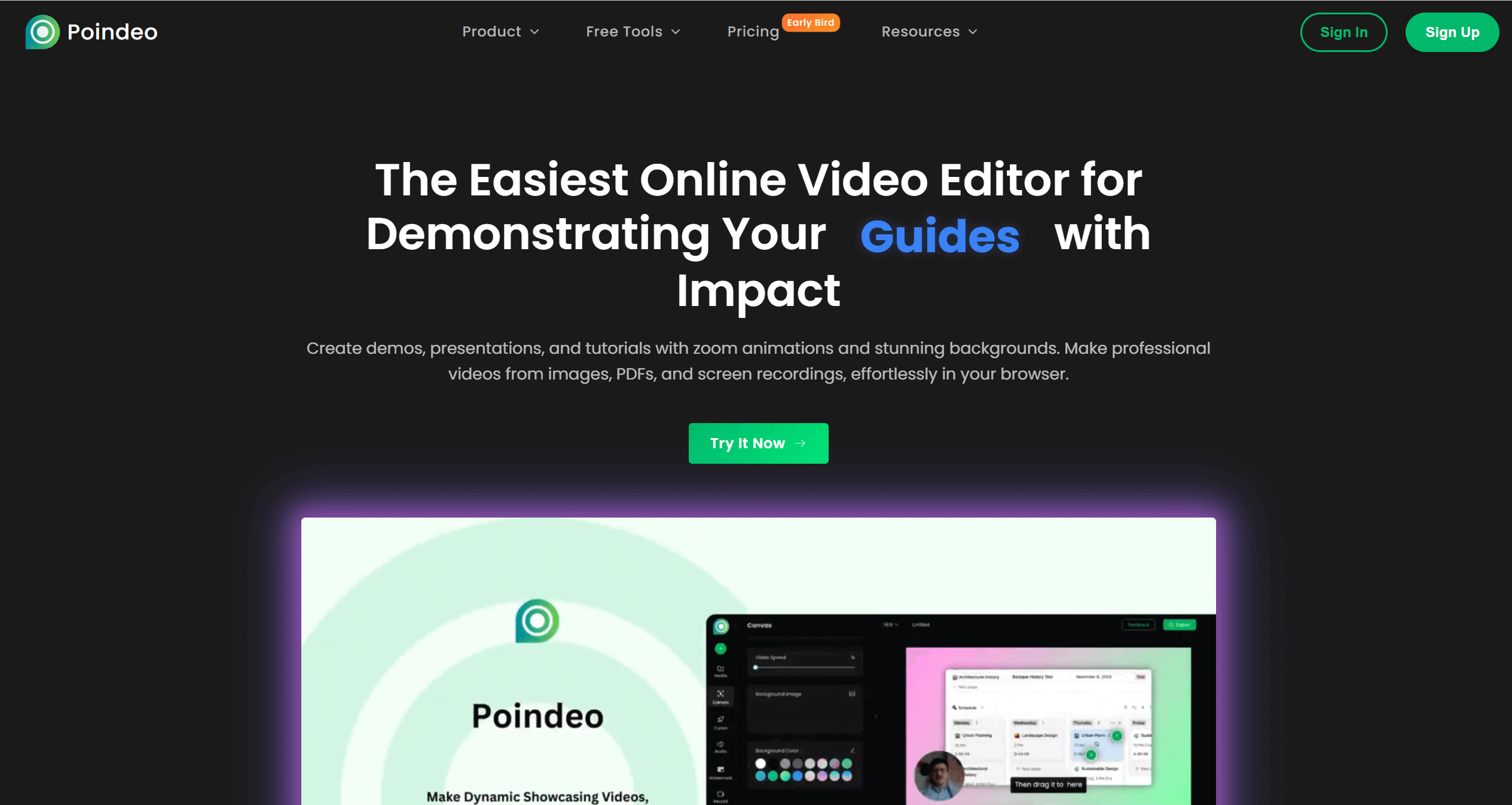
How to Record and Create a Dynamic Zoom GIF Using Poindeo
This technique ensures your product's key interaction remains perfectly legible, even on the smallest thumbnail, maximizing your click-through rate:
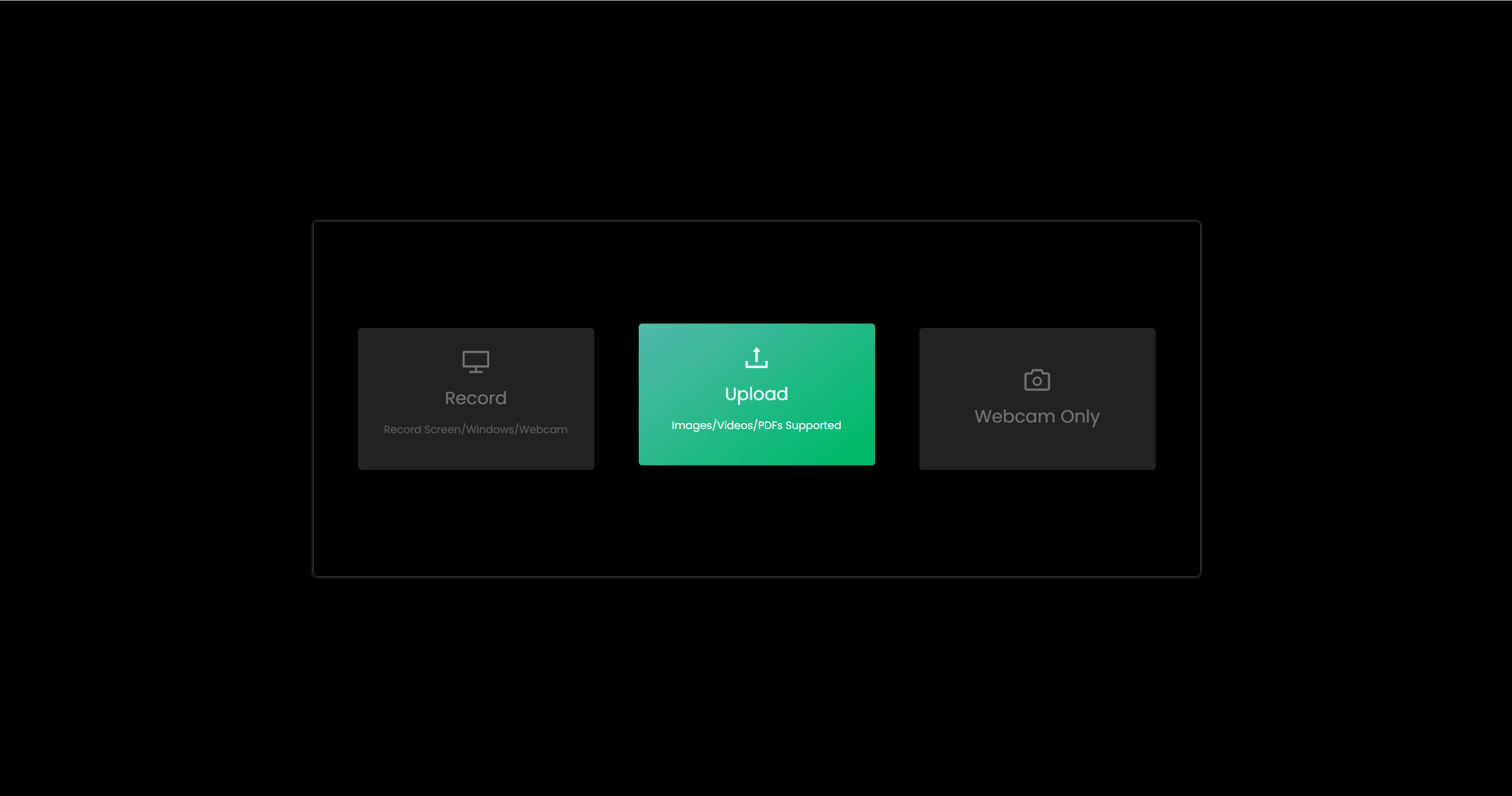
Step 1. Focus and Record the Key Action:
Use Poindeo’s built-in screen recording tool to capture only the single, most engaging, or intuitive function of your product (e.g., the instant an AI result is generated, a smooth drag-and-drop, or a chart update).
Recording and basic editing happen directly in your browser, eliminating software installation and speeding up iteration.
Step 2. Immediate Trimming and Editing:
After recording, instantly trim the video start and end points in the Poindeo editor. For the 240 x 240 thumbnail, the optimal GIF duration is 2-3 seconds.
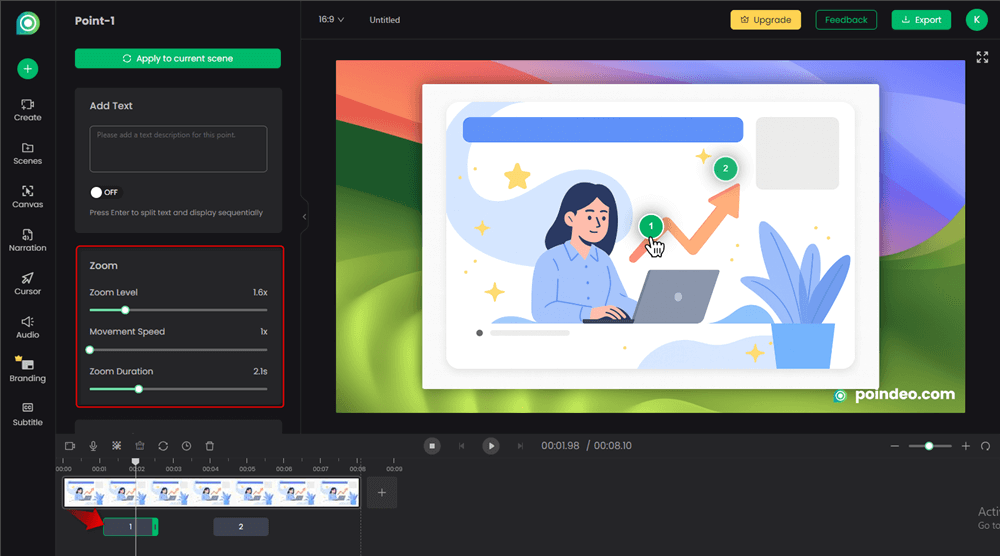
Step 3. Apply Smart Zoom:
In the editor, click the area you want to emphasize. Poindeo automatically applies a Smart Zoom Effect that smoothly directs focus to that point.
This guarantees that the UI text or critical elements remain clearly visible even after the GIF is compressed and shrunk to 240 pixels. You can precisely fine-tune the intensity and duration of the zoom without complex timeline manipulation.
Step 4. Enhance Clarity and Looping:
(Optional) Add brief Text Annotations or callouts, such as "Done!" or "New Feature," over the zoomed area to further enhance the message.
Set the clip for smooth looping, ensuring a natural transition back to the start to avoid jarring flashes.
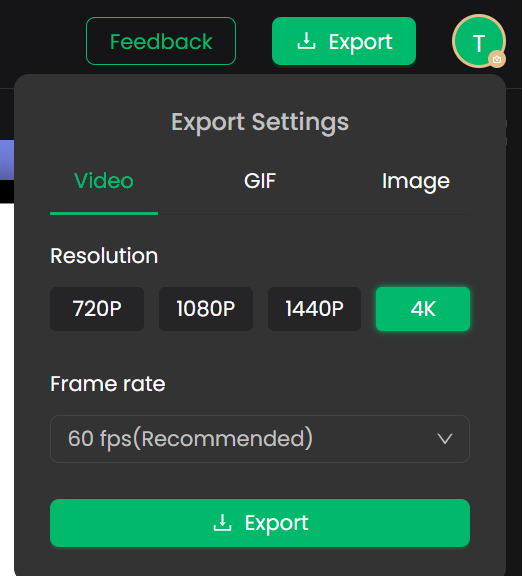
Step 5. Export and File Optimization:
Export the clip as a low-file-size GIF directly from the browser. Poindeo’s optimized export ensures the file remains safely under the 3MB limit while accurately outputting the 240 x 240 dimension.
Using this streamlined workflow, even indie developers and non-designers can transform simple screen actions into professional, high-conversion dynamic GIF thumbnails in minutes.
Gallery Images: Storyboarding Your Success
Once the thumbnail earns the click, the gallery images must take the visitor on a logical journey. This is where you justify the upvote and sign-up.
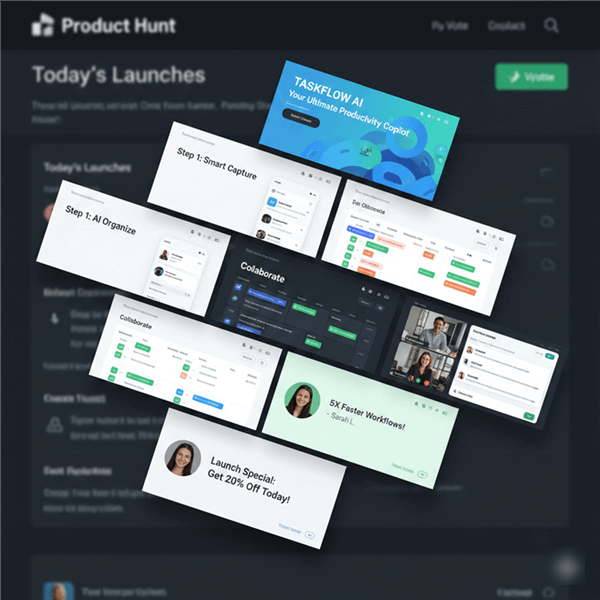
The Six-Image Narrative Flow
Successful galleries tell a cohesive story in a clear sequence. Aim for a minimum of 6 images, each with a distinct purpose:
- Image 1 (The Hook): The Hero Shot. A high-resolution, polished rendering of your product’s main interface or its biggest benefit (e.g., "Save 10 Hours a Week").
- Image 2 (The Problem/Solution): State the problem clearly and show the product solving it. Use an overlay of text for context (e.g., "Tired of X?").
- Image 3 & 4 (Feature Showcase): Dedicated images for your top two core features. Use clean mockups (browser frames, device views) to maintain polish.
- Image 5 (Workflow/Integration): Show your product in the user’s ecosystem (e.g., "Integrates seamlessly with Slack and Notion").
- Image 6 (Social Proof/CTA): Feature a short, strong testimonial, a press mention, or a clear call-to-action like "Launch Day Special: Claim 30% Off Now."
Design Tip: Consistency is Key
- Aspect Ratio: Stick rigidly to the 1270 x 760 landscape ratio.
- Canvas Utilization: Use a consistent brand-colored border or background padding for all images. This creates a professional, unified look when scrolling through the gallery.
Maximizing Engagement with Demo Videos & GIFs
While the static gallery guides the visitor, video and animated GIFs are your workhorses for showing the feel and functionality of the product. They are crucial for moving a visitor from "interested" to "converted."
Creating High-Value Gallery GIFs
The 3MB limit is a bottleneck for high-quality GIFs. Therefore, every second must be purposeful.
-
Focus on Functionality: Use GIFs to showcase micro-interactions that are hard to describe in text (e.g., a smooth filtering mechanism, a complex data visualization loading).
-
Minimize Distraction: As successful makers have mentioned, excessive movement can be jarring. Keep the frame focused on one or two key interactions, and strive to maintain a simple overall color palette to facilitate compression.
Video: The Conversion Engine
The video asset is your conversion engine. Since Product Hunt videos are often muted by default and auto-play, the first five seconds are critical for engagement. To maximize watch time, the ideal length is generally under 60 seconds. Focus the content on either the Demo Walkthrough (a quick feature tour) or the Maker Story (a founder-led narrative explaining the why), as both build trust and drive conversions.
- The Demo Walkthrough: A quick, efficient tour of the main features.
- The Maker Story: A founder-led video explaining the why—the problem they faced and why they built the solution. This builds crucial trust and authenticity.
The Poindeo Video Workflow for Launch Day:
Eliminate the need for complex, desktop editing software that wastes time in the pre-launch phase.
- Multisource Recording: Use Poindeo’s feature to record your screen (the product demo) and your webcam (the maker's face) simultaneously. This is the single best way to humanize your product and build trust.
- Prioritize Auto-Captions: As the video is muted by default, the most impactful message needs to be communicated visually. Use Poindeo's AI Auto-Caption feature to automatically generate and burn-in subtitles. This ensures your key selling points are read even if the user never hits the audio button.
- Visual Polish with No Learning Curve: Use simple, smooth cuts (transitions) to guide the viewer without confusing them. The goal is clarity, not cinematic flair.
alt: Poindeo Auto Subtitle Generator
Advanced Asset Optimization & Pre-Launch Hype
A truly optimized launch begins weeks before launch day by leveraging your assets to build hype and audience.
Pre-Launch Asset Strategy:
- Micro-Teasers: Two weeks out, use short, high-quality Poindeo-created GIFs (5-10 seconds) as curiosity hooks on social platforms (X/LinkedIn). These are not demos; they are teasers.
- A/B Test Your Thumbnail: Post potential thumbnail GIFs on social media to gauge audience preference and identify your highest-converting visual hook before launch day.
- Hunter's Kit: Provide your hunter with a professionally packaged kit containing all finalized, optimized assets (Thumbnail, Video Link, Gallery Images) well in advance to ensure a streamlined process.
Launch Day & Cohesion:
- Maker Comment Visuals: Humanize your launch by including a custom, personal image or celebration GIF in your first "Maker Comment," rather than just text.
- Branding Cohesion: Ensure all assets (thumbnail, gallery, video thumbnail) share the exact same color palette and core logo placement. This unified approach projects professionalism and trustworthiness.
- Post-Launch Repurposing: Easily repurpose high-resolution gallery images 1270 x 760 for social media banners or success announcements post-launch.
Conclusion
The difference between finishing #1 and finishing #10 often comes down to the quality of your visual assets and the intentionality of your visual strategy.
Don't let complex, expensive, and time-consuming editing workflows be the bottleneck that stalls your launch. By adopting a video-first mindset and leveraging tools designed for quick, professional-grade screen recording and editing, you can ensure your product’s brilliance shines through, even on a tiny 240 x 240 canvas.
Your success on Product Hunt is not guaranteed by your code, but by your craft.
Ready to turn your screen recording into a high-converting Product Hunt launch asset?
👉 Start creating your perfect, zoom-optimized GIFs and auto-captioned demo videos directly in your browser with Poindeo today.