TL;DR:
- The Hunter: The "Submitter." They post the product. In 2026, their role is primarily for social proof and initial reach. Warning: You cannot change the Hunter once the post is live.
- The Maker: The "Creator." They get a Maker Badge for trust in the comments and access to the Maker Dashboard to edit assets and links.
- The Strategy: Self-Hunt if you want 100% control and have a following. Use an External Hunter if you are launching from zero and need a "stamp of approval."
- The Core Concept: Engagement velocity and "Maker authenticity" now outweigh "Hunter follower counts" in the Product Hunt algorithm.
Choosing the wrong role for your Product Hunt launch is a permanent mistake. On the world’s largest launch platform, your title—Hunter or Maker—dictates your editing power, your credibility, and your ability to engage with the community.
This guide cuts through the noise to explain exactly how these roles work in 2026, why the "Hunter" role is permanent, and how to choose the strategy that ensures your Poindeo launch hits #1.
Hunter vs. Maker: Defining the Roles
To navigate a launch, you must first understand the two distinct identities on the platform. While one person can hold both titles, the responsibilities and "social signals" they send are very different.
What is a Hunter?
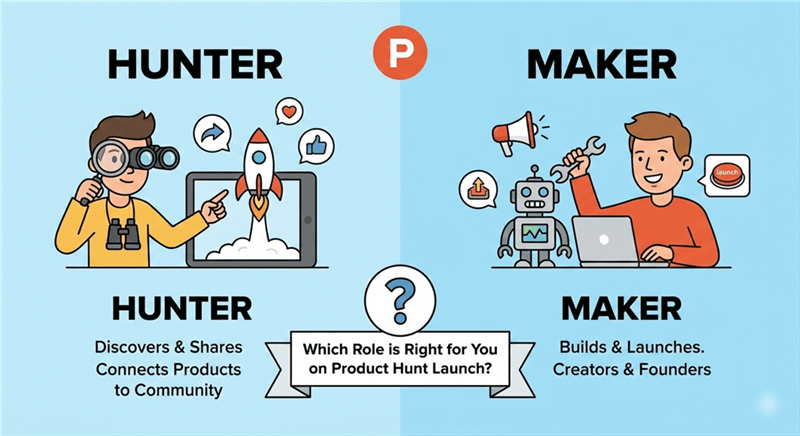
A Hunter is the person who officially posts or initiates a launch on Product Hunt. According to Product Hunt’s official definition, a Hunter is anyone with a free, personal Product Hunt account who submits a new product to share with the community.
Think of the Hunter as the "Discovery Agent."
- The Role: They "hunt" or discover new products, bringing them to the attention of the community.
- Who they are: Historically, Hunters were influential tech figures or product enthusiasts. Today, they are often fans, community members, or even the founders themselves.
- The Authority: When a Hunter submits a product, they are essentially saying to their followers, "I found this, and I think it’s worth your time."
- Key Note: A Hunter does not have to be involved in the creation of the product. Many makers choose to "Self-Hunt" to maintain direct control over the narrative (more on this below).
What is a Maker?
A Maker is the person or team that actually created the product being launched—the true “Builders.” According to Product Hunt’s official definition, a Maker is anyone who uses technology to solve their own problems. On Product Hunt, Makers share what they’ve built by launching (or hunting) their product, whether they built it solo or as part of a team.
- The Role: Makers are the developers, founders, designers, and marketers who brought the product to life.
- The Maker Badge: This is the most critical asset for a Maker. When tagged in a launch, Makers receive a special "Maker" badge next to their name in the comments.
- The Interaction: This badge signals to the community that you are the authoritative source for technical questions, roadmap inquiries, and support. It allows for high-trust, direct interaction with potential users.
- The Dashboard: Being a Maker grants you backend access to the "Maker Dashboard," allowing you to edit the media gallery, tagline, and links throughout the 24-hour launch window.
Hunter vs. Maker: How to Choose the Right Launch Strategy
Now that we have defined the roles, the strategic dilemma remains: Should you find a "Top Hunter," or should you be a "Maker who Hunts"?
Scenario A: The External Hunter (The Influencer Route)
In this approach, you pitch your product to a well-known Hunter—such as Chris Messina or a niche-specific community figure—and ask them to submit the product on your behalf.
This route can be effective if your product has a strong third-party appeal, aligns closely with the Hunter’s audience, or benefits from early social proof within a specific niche.
Pros:
- Perceived Social Proof: A recognizable Hunter name can act as an initial trust signal for curious users.
- Early Discovery Boost: Some of the Hunter’s most active followers may receive notifications or notice the launch early.
Cons:
- Limited Control: You depend on the Hunter for timing, wording, and updates. Small errors in the title, tags, or links can be slow to fix.
- Scheduling Friction: Your ideal launch window may not align with the Hunter’s availability.
- Algorithm Reality Check: A Hunter’s follower count does not directly translate into ranking power. Engagement quality still outweighs name recognition.
Scenario B: The Self-Hunt (The Maker-as-Hunter)
This is now the most common and often most effective approach for modern startups. You submit your own product and tag yourself (and your team) as Makers from the start.
Self-hunting is ideal if you want full narrative control, rapid iteration on launch day, and direct, high-trust interaction with early users.
Pros:
- Full Control: You choose the exact launch moment (typically 12:01 AM PST) and control every word and asset.
- Authenticity: Founder-led launches feel more genuine and community-driven, which Product Hunt users increasingly value.
- Agility: You can instantly respond to feedback, fix issues, update links, and refine messaging in real time.
- Algorithm Advantage: Fast, thoughtful maker replies can positively impact early engagement velocity.
Cons:
- You must bring your own initial momentum—via email, social channels, or existing community—to spark early activity.
The Writer’s Take
In today’s Product Hunt landscape, who clicks “Submit” matters far less than how well your launch is positioned and executed.
If your messaging is clear, your materials are polished, and you’re ready to engage actively, self-hunting gives you speed, authenticity, and control—three qualities the algorithm increasingly rewards.
External Hunters can still be useful in specific niche scenarios, but no Hunter can compensate for weak positioning, unclear value, or passive maker participation. A successful launch is built on preparation, not borrowed influence.
Making the Choice: The Decision Matrix
If you are still unsure, use this checklist to decide your role:
| If... | You Should... |
| You have 0 followers on social media. | Find an external Hunter. |
| You want to launch exactly at 12:01 AM PST. | Self-Hunt (Be the Maker & Hunter). |
| You have a high-profile advisor/investor. | Ask them to be the Hunter for social proof. |
| Your product is highly technical. | Self-Hunt to ensure the technical copy is 100% accurate. |
| You are using Poindeo to create a "Viral" video. | Self-Hunt; let the content speak for itself. |
Product Hunt Core Concepts: The 2026 Glossary
Beyond the roles, successful launches require a mastery of the platform’s technical vocabulary. Use these tips to expand your strategy:
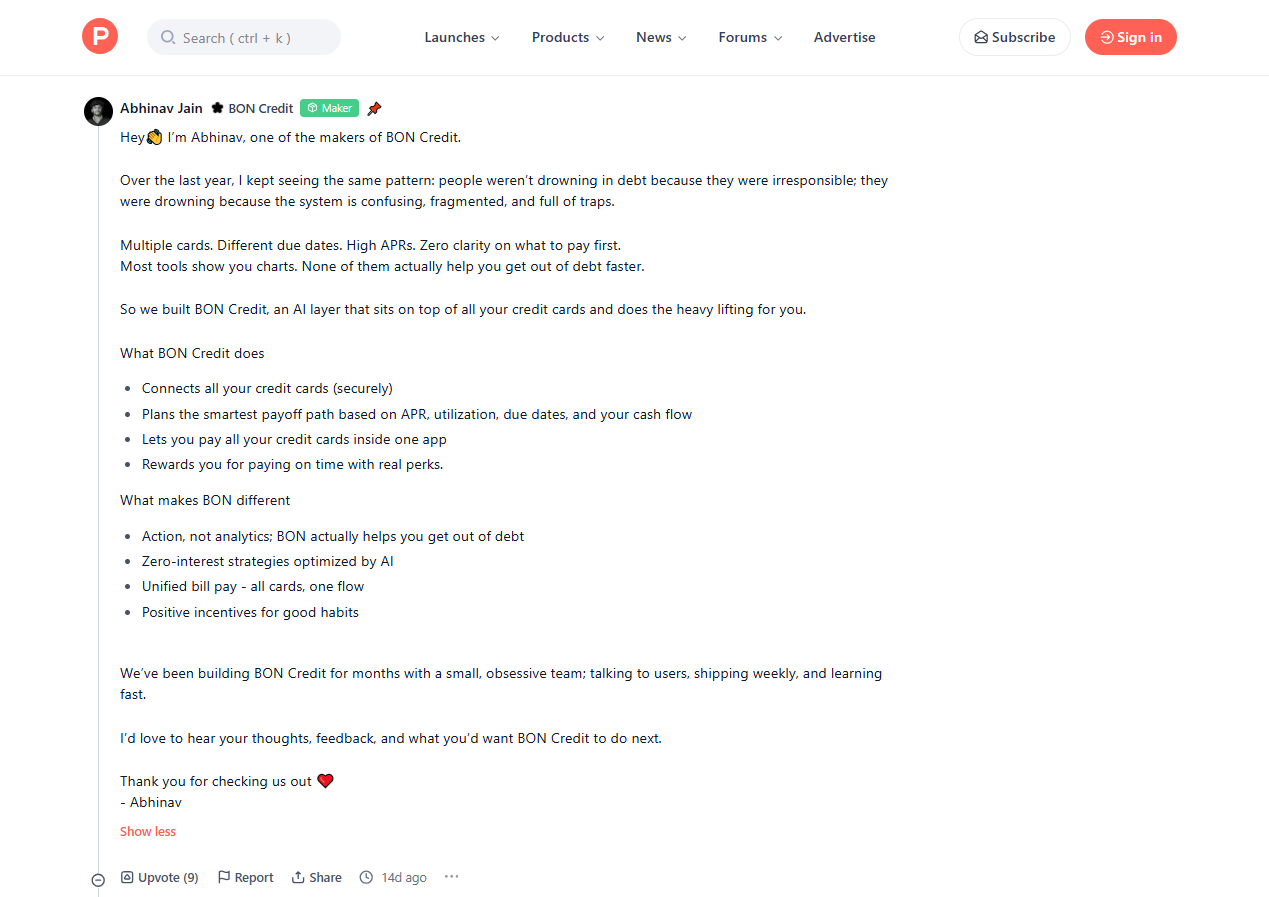
The "First Comment" (The Maker's Story): This is the long-form post pinned to the top of your thread. In 2026, don't just list features. Tell the "Why." Explain the problem you solved and why you built it. This is your chance to humanize the brand.
The Maker Dashboard: This is your command center. As a Maker, you can see real-time referral data. If you notice a high bounce rate, use the dashboard to swap your GIF for a more engaging one.
The "Product of the Day" Algorithm: It’s not just about upvotes. The algorithm prioritizes "Weighted Upvotes" (votes from active, high-karma members) and "Conversation Velocity" (the number of people participating in the comments).
The "Ship" Page: A pre-launch landing page. Use this to gather "Early Bird" interest weeks before the actual Hunt.
Vertical Visibility: Product Hunt pages often rank on the first page of Google for months. Treat your “Makers Q&A” as an evergreen FAQ section that continues to attract high-intent organic visitors long after launch day.
The Technical Deep-Dive: Managing Your Launch
How do you actually execute the Hunter/Maker transition? Reference the following technical workflow:
Adding Makers to Your Launch
During the submission process (The Hunt), there is a field to "Add Makers."
- Always add your entire core team. This populates the "Makers" section of your page and gives each person the ability to respond with a badge.
- Team Engagement: Having 3-4 different "Makers" responding to comments makes the product look like a supported, living entity rather than a side project.
The "Unchangeable" Hunter Rule
If an external Hunter submits your product, they are the "Owner" of that post's metadata. If you decide mid-launch that you want to change the Hunter, you will find that Product Hunt’s settings do not allow it.
Only use an external Hunter if you have a 100% confirmation of their commitment and timing.
Maximizing the Maker Role with Poindeo
As a Maker, your primary job is Conversion. Visitors come to your page because of the "hype"; they stay and sign up because of the clarity and professional polish of the Maker’s assets. Poindeo is your secret weapon because it allows you to create high-production-value materials in minutes, rather than hours.
1. The "Aha!" Moment Loop (The Gallery Opener)
Don’t let your first gallery item be a static, overwhelming screenshot. Instead, use Poindeo to turn a high-resolution dashboard capture into a "living" preview. By applying Smart Zoom, you can instantly focus the viewer's attention on your "killer feature" while a synchronized Text Annotation explains its value in real-time.
When exported as a 5–10 second looping video or GIF, Poindeo’s smooth, guided motion eliminates visual noise and directs the visitor's eyes exactly where you want them to land.
2. The High-Trust Founder Walkthrough
Product Hunt users buy into people as much as products, making a 60-second "Founder Walkthrough" essential for building a human connection. Use Simultaneous Cam + Screen Recording to put a face to the brand while demonstrating the mission. Since a vast majority of users browse on mute, leverage Poindeo’s Automatic AI Captions to ensure your message is delivered clearly without sound. To finish, layer in a subtle, upbeat track from the built-in library to give your launch an energetic, professional polish.
3. The Animated "Social Proof" Slide
Static logos and plain-text testimonials are often skipped by fast-scrolling visitors. Use Poindeo to make your credibility unmissable by transforming a screenshot of a glowing tweet or a "Wall of Love" into an animated sequence.
With the new Poindeo extension, creating high-impact social proof is more effortless than ever. Its AI-powered auto-zoom can instantly spotlight the most impactful sentence of a testimonial as you record, or help you craft a 15-second "Wall of Fame" video that glides through multiple PDF pages of customer feedback. By combining these automated focus points with Narration to read quotes aloud, you build a layer of authority and engagement that static slides simply cannot match.
4. The Multi-Platform Teaser (Omnichannel Launch)
A Maker’s job extends beyond the landing page; you must drive traffic from X, LinkedIn, and TikTok. Once your primary 16:9 demo is complete, use Poindeo’s Multi-Ratio Export to generate 9:16 versions optimized for mobile-first platforms instantly. You can then create a specific "Launch Day" teaser in vertical format, featuring a bold "WE ARE LIVE!" annotation and a tactical zoom-in on your Product Hunt "Upvote" button to maximize social media engagement and click-through rates.
Conclusion
In 2026, Product Hunt is less about the "Hunt" and more about the "Making." While the Hunter provides the initial spark, it is the Makers who carry the fire through the 24-hour cycle and into the future.
By understanding these core concepts—from the unchangeable nature of the Hunter to the interactive power of the Maker Badge—you can structure your launch for maximum impact. Don't just post a link; build a presence. Use your status as a Maker to engage, educate, and convert.
FAQ: Addressing Your Burning Questions
Q: Can I have two Hunters?
A: No. Only one person can "Hunt" the product. However, you can have an unlimited number of Makers.
Q: Does the Hunter need to be a person, or can it be a brand?
A: It must be a person. Product Hunt is a community of humans. Using a corporate account as a Hunter is a "Red Flag" for the algorithm.
Q: We launched 6 months ago; can we launch again with a new Hunter?
A: Only if it is a major "V2" release with significantly different features. "Resubmitting" the same product is the fastest way to get blacklisted.