It is 12:01 AM PST. The "Post" button has been clicked. Your product is live on Product Hunt.
Your demo video is slick. Your tagline is punchy. Your thumbnail is eye-catching. But there is one crucial element that often determines whether a launch skyrockets to the top 5 or sinks into obscurity: The First Comment.
Many makers treat the first comment as an afterthought—a quick "Hi everyone!" scribbled in the seconds after launching. This is a fatal error in launch day execution.
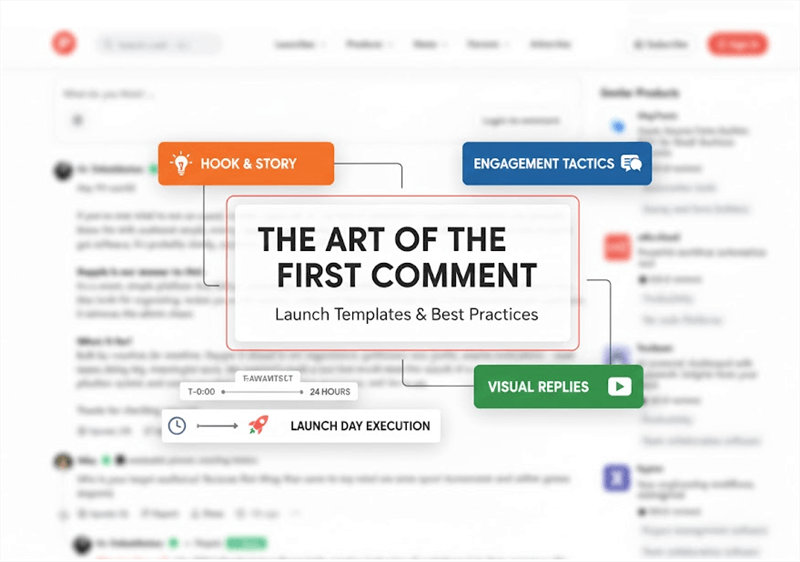
The first comment, often written by the "Maker," is not just a greeting. It is your sales floor. It is the narrative anchor that tells the community how to feel about your product, what to look for, and why they should care. More importantly, in the eyes of the Product Hunt algorithm, it is the spark that ignites the conversation.
In this guide, we will dissect the art of the first comment. We will move beyond generic advice and provide you with psychological triggers, copy-and-paste templates, and a rigorous launch-day execution timeline.
The Psychology of the "Maker Comment"
You must grasp the battlefield before we write a single word. Product Hunt is more than a link aggregator; it's a community of enthusiasts and early adopters. When ranking products, the platform's algorithm prioritizes engagement.
An upvote sends a passive signal. A comment constitutes an active signal. A threaded chat sends a viral signal.
Your first comment has three primary jobs:
- Humanize the Product: People buy from people. The community wants to know the struggle, the epiphany, and the human behind the code.
- Direct the Attention: Users rarely watch a full 2-minute demo video. Your comment serves as the "Director's Commentary," highlighting exactly which features they should test.
- Bait the Engagement: A well-crafted comment doesn't just inform; it asks. It forces the reader to respond, creating the threaded conversations that the algorithm loves.
If your comment reads like a press release, you will get polite applause. If it reads like a maker opening up their workshop, you will get a community.
Further Reading: The 10 Best Product Hunt Alternatives >
The Anatomy of a Perfect First Comment
A wall of text is the enemy of conversion. During a launch, attention spans are nonexistent. Your comment must be scannable, visually distinct, and logically structured.
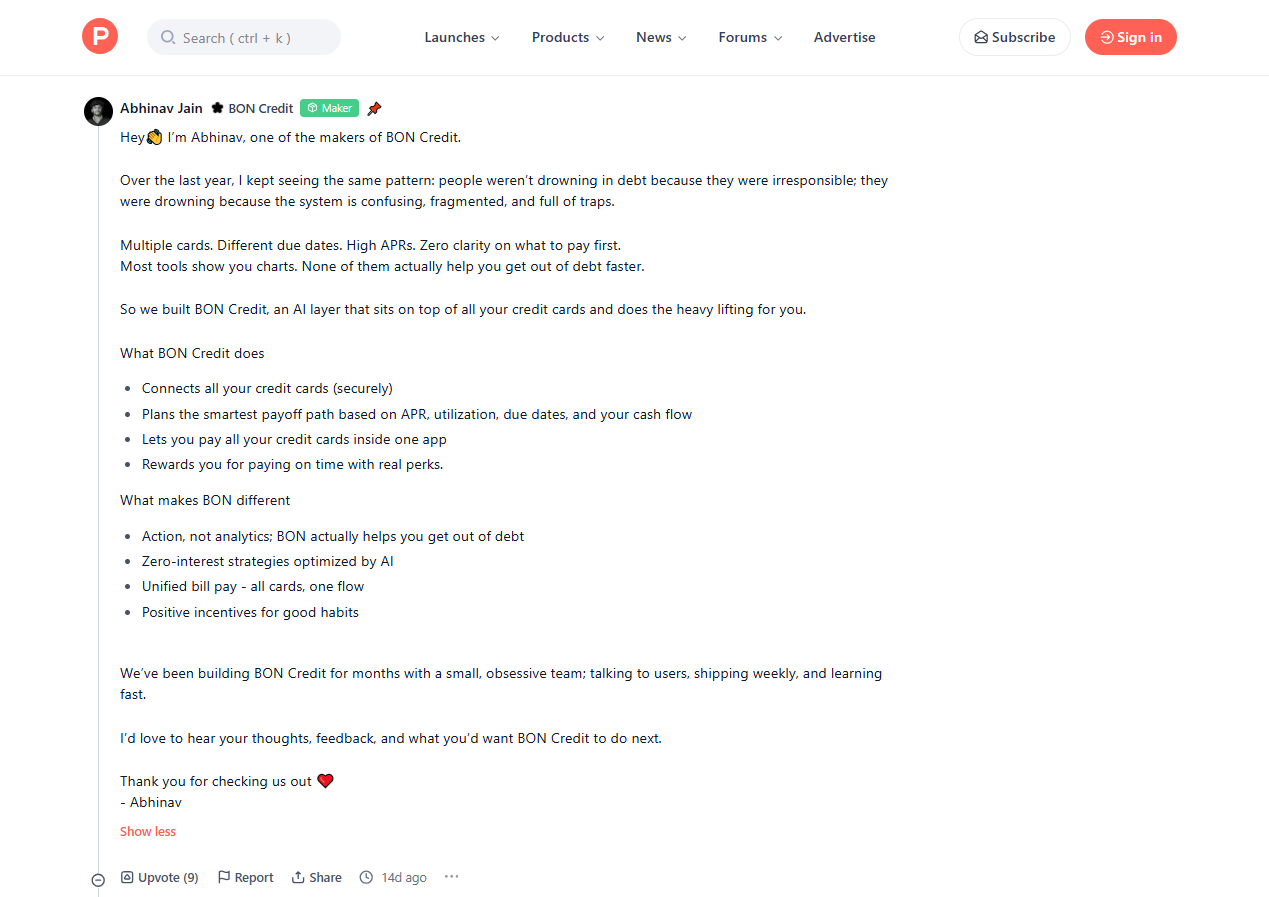
1. The "Visual" Text Structure
Product Hunt allows for basic formatting, and you should use it all.
- Emojis as Bullet Points: Do not use standard hyphens. Use emojis (🚀, 💡, 👉, 🛠️) to break up lines and add visual flavor.
- Spacing: Never write a paragraph longer than two sentences. Use double line breaks to create "breathing room" for the eye.
- The Fold: The first two lines of your comment are the only things visible before a user clicks "Read More." Your "Hook" must live there.
2. The Tone: Vulnerability vs. Authority
The most successful launches strike a balance between Vulnerability ("This was really hard to build") and Authority ("This is the best solution on the market").
- Bad Tone: "We are excited to announce the launch of X, the premier solution for video editing." (Corporate, cold).
- Good Tone: "I’ve spent the last 6 months sleeplessly obsessing over one problem: why is video editing still so slow?" (Personal, relatable).
The Templates of First Comment (Copy, Paste, & Adapt)
Here are three distinct templates based on different product types and maker personalities. Choose the one that fits your narrative.
Template A: The "Scratch Your Own Itch" (Best for Solopreneurs)
This template focuses on the origin story. It builds high empathy and trust.
[Headline Hook]
Hi Hunters! 👋 I’m [Name], the maker behind [Product Name]. I built this because I was tired of [The Pain Point].
[The Story]
For the last [Time Period], I’ve been struggling with [Details of the problem]. I tried [Competitor A] and [Competitor B], but they were always too [expensive/complicated/slow].
So, I decided to fix it myself.
[The Solution]
[Product Name] is a [Category] designed specifically for [Target Audience]. It helps you:
✅ [Benefit 1]: No more [Old Way of doing things].
✅ [Benefit 2]: Achieve [Result] in half the time.
✅ [Benefit 3]: [Specific Killer Feature].
[The Ask]
We are still in the early stages, and I am nervous/excited to hear what you think.
👉 My Question for you: Which of these features would save you the most time today?
[The Deal]
To say thanks to the PH community, use code HUNT20 for 20% off lifetime access.
Let me know your thoughts below! 👇
Template B: The "Feature Powerhouse" (Best for SaaS Tools)
This template focuses on utility and speed. It is perfect for tools that have a clear "Wow" factor.
[Headline Hook]
The way we [Activity] is broken. Today, we’re changing that. 🚀
[The Context]
Hey everyone! Team [Product Name] here. We realized that [Target Audience] wastes X hours every week just doing [Mundane Task].
[The Solution]
Meet [Product Name]. It’s the [Adjective: Fastest/Simplest] way to [Core Action].
[Key Features]
Here is what’s under the hood:
⚡ [Feature 1]: [Description of speed/efficiency].
🎨 [Feature 2]: [Description of creativity/quality].
🔗 [Feature 3]: [Integrations or workflow details].
[The Demo]
If you watched the video above, you saw [Specific Feature] in action. It usually takes hours; with us, it takes seconds.
[The Call to Action]
We are hanging out in the comments all day!
Challenge: Try the free demo link and tell us—is it faster than your current workflow?
Let’s chat! 💬
Template C: The "Public Builder" (Best for Community-Led Growth)
This template focuses on the journey and invites the community to co-create the roadmap.
[Headline Hook]
It’s finally here! 🎉 After [Number] months of beta testing with [Number] users...
[The Gratitude]
Hi Hunters! I’m [Name]. First, a massive shoutout to the [Number] beta testers who helped squash bugs and refine the UI. We couldn't have done this without you.
[The "Why"]
We set out to build [Product Name] because we believe [Philosophy/Belief].
[The Roadmap]
Today is just Day 1. We have the core features ready:
- [Feature A]
- [Feature B]
But we want YOU to decide what comes next.
❓ Should we build [Feature X] or [Feature Y] next?
[The Offer]
Grab the exclusive Product Hunt deal here: [Link].
Drop your vote for the next feature in the comments! 👇
First Comment Execution: Your Product Hunt 24-Hour Posting & Reply Timeline
Having a template is only 50% of the battle. The other 50% is execution. A Product Hunt launch is a 24-hour sprint that requires precision.
Phase 1: Pre-Launch (T-Minus 24 Hours)
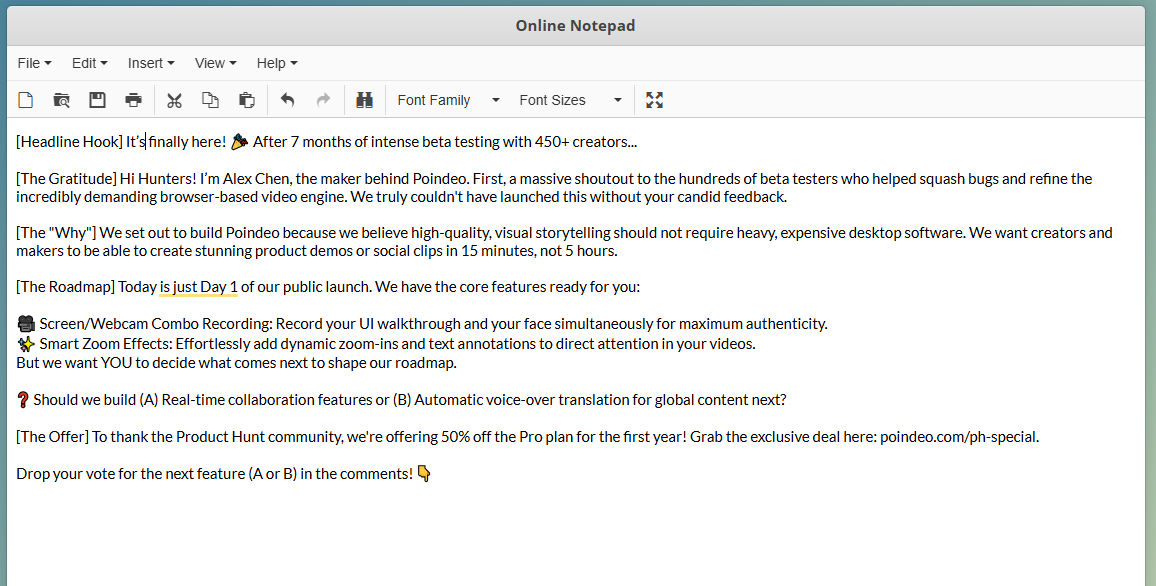
1. Draft in Plain Text
Do not write your comment directly in the Product Hunt text box. The page might refresh, or you might accidentally hit enter. Write it in a simple text editor (Notepad, TextEdit). This strips hidden formatting that can break the look of your comment.
2. Prepare Your Visual Responses
This is a pro-tip most makers miss. Users will ask standard questions: "Does this integrate with X?" or "How does the export look?"
Instead of typing a wall of text, show them.
- Record 3-5 short (10-second) GIFs or clips showing your key features in action.
- Save them in a folder named "Launch Assets."
- Contextual Tip: If you need to edit these clips quickly (cropping the screen, adding a text overlay, or trimming silence), use a browser-based tool like Poindeo. Since you don't have to install anything, you can prep these assets on any machine without bogging down your main workstation.
3. The "Hunter" Coordination
If someone else is "Hunting" your product for you, ensure they know exactly when to post so you can comment immediately. The Maker comment should appear within seconds of the product going live.
Phase 2: The Golden Hour (First 60 Minutes)
1. Post Immediately
As soon as the page is live, paste your comment. Pin it (if you have the option) or ask the Hunter to pin it.
2. The First Reply Rule
Wait for the first organic comment. Do not reply with "Thanks!"
- Bad: "Thanks, glad you like it!"
- Good: "Thanks [Name]! I noticed you work in [Industry]—do you think this feature would help with your daily workflow?"
Why? You need to turn every comment into a thread. Longer threads signal high engagement to the algorithm, pushing you higher on the homepage.
Phase 3: The Marathon (Hours 2-24)
1. Managing the "Asset Gap" with Visual Replies
As the day progresses, questions will get more technical. You may find users asking about a specific edge case you didn't anticipate, such as "How do I reverse keyframes?" or "What does the 3D export feature look like?"
Describing a complex UI interaction or a sophisticated visual feature in plain text is confusing, boring, and inefficient. It breaks the flow of engagement and can frustrate users looking for quick answers.
Instead of writing a paragraph, create a "micro-demo" on the fly. This means recording a quick, targeted clip or GIF that visually answers the question in seconds.
Introducing Poindeo: Your Launch Day Agility Tool
To maintain the rapid response required during a launch day marathon, you need tools that are fast and non-disruptive. Poindeo is a powerful, browser-based video editing platform designed for speed and accessibility, eliminating the need to download heavy desktop software.
Here are the key features that maximize your launch day efficiency:
- Browser-Based Convenience: Zero downloads or installation required. Edit on the fly without bogging down your computer, ensuring your critical Product Hunt tabs remain responsive.
- Combined Capture: Supports simultaneous screen and camera recording to quickly create authentic, face-to-face visual explanations.
- Smart Zoom & Annotation: Instantly add zoom effects, text overlays, and arrows to clips, quickly directing user attention to the exact feature being discussed.
- Instant Export Ratios: Export the final micro-demo clip in the perfect ratio (e.g., square for social sharing) without complex reformatting.
How to Create a Micro-Demo with Poindeo:
Step 1. Capture: Record Your Explanation.
Grab a quick screen recording of the feature in action. For maximizing authenticity and trust, we highly recommend simultaneously recording your webcam (Maker's Face) explaining the feature. This human element significantly enhances transparency and engagement when replying to specific user questions.
Step 2. Upload Instantly: Drag and drop the short clip directly into your Poindeo browser window.
Step 3. Edit for Clarity (The How-To):
- Trim: Use the intuitive timeline to instantly cut out any dead air or preamble.
- Annotate: Add text overlays or arrows directly on the video to clearly point out the UI element being discussed (e.g., "Click Here for Export").
- Format: Export the final clip as a small GIF or short MP4 file optimized for fast loading in the comment thread.
2. Formatting for Scannability
When you reply to comments, keep using the formatting rules. Use bold text for names or key features. Keep it visual.
Advanced Tactics for the First Comment
Once you have the basics down, use these advanced strategies to squeeze every drop of value from your launch.
1. The "Easter Egg" Strategy
Hide a small bonus in your first comment that requires the user to read to the end.
- Example: "P.S. If you made it this far, tell me your favorite sci-fi movie in the comments and I’ll DM you a secret sticker pack."
- Result: This generates "irrelevant" but highly effective engagement that boosts your comment count.
2. The "Pre-Emptive FAQ"
If you know your product has a controversial pricing model or a missing feature (e.g., "No Android version yet"), address it in the first comment.
- Action: "And yes—Android is coming next month! 🤖 We focused on iOS first to perfect the gesture controls."
- Benefit: This prevents negative comments and shows you are self-aware and transparent.
3. Leveraging "Social Proof" Early
If you have notable beta testers or press coverage, drop it in the comments.
- Action: "Used by teams at Netflix and Spotify during our beta."
- Benefit: This validates your product immediately for skeptics who don't know your brand.
First Comment Mistakes: Common Pitfalls to Avoid
Even with a great template, you can fail if you commit these errors.
The "ChatGPT" Voice
Users on Product Hunt are tech-savvy. They can smell AI-generated copy from a mile away. If your comment uses phrases like "unlocking potential," "game-changer," or "revolutionary paradigm shift," rewrite it. Use simple, human language. Write like you speak.
Forgetting the Link
If you mention a special offer or a specific landing page in your comment, double-check the link. A broken link in the first comment is a conversion disaster.
Ignoring Negative Feedback
You might get a comment saying, "This is just a clone of [Competitor]."
- Do not ignore it.
- Do not get defensive.
- Do: Reply with grace. "Great observation! We love [Competitor], but we differ because we focus on X while they focus on Y. Give it a shot and let me know if you feel the difference."
Conclusion
The true "art" of the first comment is not great sales text, but rather establishing a genuine door for discussion. Consider your first comment the maker's toast: it sets the tone, clearly indicates where the major features are, and cordially welcomes the community to participate. Success on Product Hunt is dependent on this link, not just traffic.
Your immediate action plan is easy. Choose one of the offered templates, write and polish your reply in a plain text editor today, and prepare your visual response elements. Do not postpone this essential stage till launch time—the momentum and rating of your launch are totally dependent on the planning you put in now.
Good luck, Hunter. 🚀