Have you ever launched a hard-won feature update on Product Hunt or your social media platforms, only to watch it disappear into the infinite scroll or sink in the rankings within seconds? Or worse, have you ever stood in front of a major investor or a high-ticket prospect, explaining your "game-changing" UI, only to be met with a confused: “So, wait—how does this actually solve my problem?”
In 2026, the gap between a "good" product and a "successful" one is no longer just the code—it is the clarity of the demo.
With the rise of AI-native development, building a product has become the "easy" part. With a single prompt, you can now build something that once took weeks of manual coding. However, while creating a product has become effortless, getting it noticed and understood in a crowded market has becomeincreasingly difficult. When a prospect lands on your site or sees your post, you have less than five seconds to capture their attention. You can't expect them to hunt through documentation or sit through a dry, 10-minute "overview." In today’s high-velocity B2B landscape, a shaky, unedited screen recording isn't just a minor flaw—it’s a bounce-rate catalyst that screams "amateur."
Quick Comparison: The 2026 Demo Maker Landscape
| Tool | Best For... | Key Superpower | Pricing (Billed Monthly) |
| Poindeo | Browser-Based Marketing, product demo video creating | One-Click Auto-Zoom & Studio Polish | Free / $19+ |
| Loom | Async Team Communication | Instant Sharing & AI Summaries | Free / $15+ |
| Supademo | Interactive Click-throughs | Clickable Sandbox Environments | Free / $38+ |
| Mootion | AI Prompt-to-Video | Full Scenarios from Text Prompts | $15+ |
| Synthesia | Global Presentations | 140+ Language AI Avatars | Free / $29+ |
| Camtasia | Technical Documentation | Professional Multi-track Editing | $179 / year |
The 6 Best Product Demo Makers
1. Poindeo: The Best for Browser-Based Professionalism
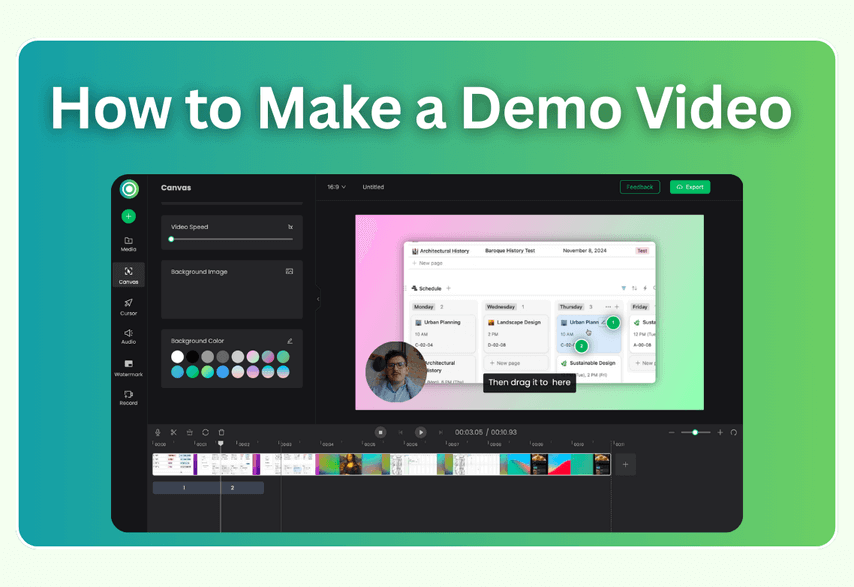
Poindeo has redefined the "marketing demo" by eliminating the need for complex editing software and positioning itself as a professional product demo maker built specifically for startup teams and marketers. While most tools require you to cut, zoom, and highlight after recording manually, Poindeo treats the browser itself as your production studio, automatically guiding attention with smart zooms, annotations, and step-based narration.
If you are a founder or marketer who needs a "studio-look" product demonstration video for your landing page, onboarding flow, or LinkedIn — but has zero editing experience — Poindeo stands out as the gold standard product demo maker for fast, conversion-focused videos.
Key Features of Poindeo:
- Easy screen recording: Capture your screen and webcam at the same time — record your full screen, any desktop window, or a single browser tab with ease.
- One-Click Dynamic Zoom: Forget about manually keyframing zooms. In the Poindeo browser extension, you simply click the area you want to highlight, and the AI applies a smooth, cinematic zoom-in and zoom-out effect.
- Social Media Optimization: Automatically export your demo in 16:9 (YouTube), 9:16 (TikTok/Shorts), or 1:1 (Instagram/LinkedIn) without losing the focus of your screen capture.
- Background Templates & Music: Access a library of professional backgrounds that hide your messy desktop and replace it with a high-fidelity aesthetic.
- Zero-Export Editing: Edit your video directly in the browser with instant previews.
Pricing:
- Starter Plan: $0 (Add zoom effects and 720p HD downloads).
- Subscription Plan: $19.99/mo (Unlimited videos, 4K export, custom watermarks).
- Lifetime Plan: $69.99/mo.
Pros: Fastest "Time-to-Value" for professional marketing assets; no software installation required.
Cons: Need a network.
2. Loom: The King of Asynchronous Communication
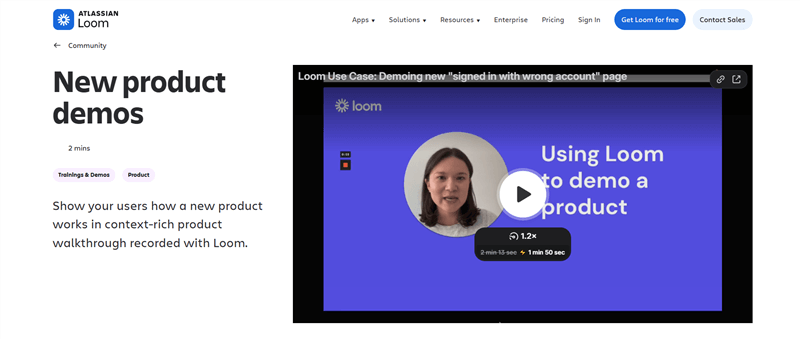
Loom remains the industry standard for what it was originally built for: replacing a meeting. In 2026, Loom has doubled down on its AI features, transforming a simple screen record into a searchable, structured knowledge asset.
Best for internal team updates, bug reports, and personalized "1-to-1" sales intros where speed beats cinematic polish.
Key Features:
- Loom AI Workflows: Automatically generates video titles, summaries, and action items from your speech.
- Instant Editing: Trim mistakes simply by deleting text from the generated transcript.
- Filler Word Removal: One click to remove all "umms" and "ahhs" from your audio.
- Variable Tags: Personalize one video for multiple leads by swapping out name or company tags automatically.
Pricing:
- Starter: $0 (Up to 25 videos, 5-minute limit).
- Business: $15/user/mo (Unlimited videos and length).
- Business + AI: $20/user/mo (Includes full suite of AI automation and editing).
Pros: Easiest sharing mechanism; incredible AI-driven transcription and summaries.
Cons: Limited "production value" for high-end homepage marketing videos.
3. Supademo: The Best for Interactive "Hands-On" Demos
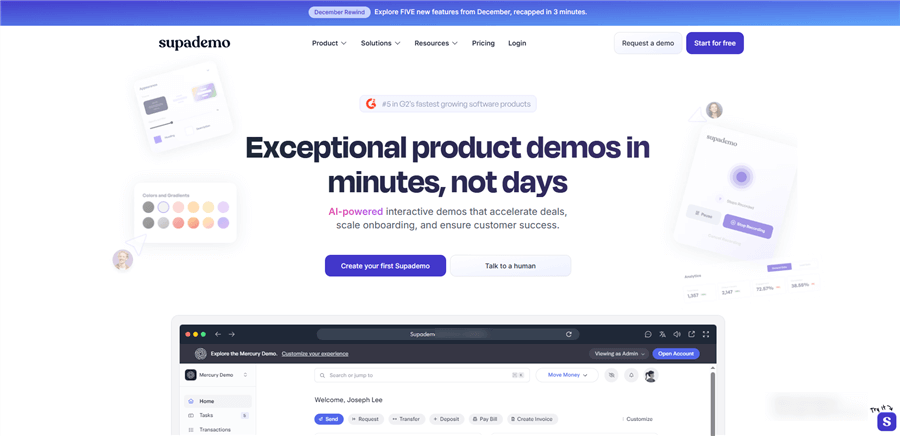
In 2026, static video isn't always enough. Supademo leads the Interactive Demo movement, allowing users to actually "play" with your product in a sandbox environment rather than just watching a recording.
Best for high-ticket SaaS companies where the sales cycle requires prospects to "feel" the UX before they buy.
Key Features for 2026:
- Sandbox Demos: Creates a clickable, HTML-cloned environment where users can click buttons and navigate menus as if they were in the real app.
- AI Voiceovers: Automatically adds a human-sounding voiceover that syncs with the user's clicks.
- Conditional Branching: Allow users to choose their own journey (e.g., "I am a Marketer" vs. "I am a Developer").
- Engagement Analytics: Track exactly where users drop off in your interactive tour.
Pricing:
- Free: $0 (Up to 5 demos).
- Scale: $38/creator/mo (Unlimited demos, analytics, and custom branding).
- Growth: $350/mo (Includes 5 seats and full HTML-cloning capabilities).
Pros: Significantly higher engagement/conversion than linear video; allows "self-paced" learning.
Cons: Higher price point for the advanced interactive features.
4. Mootion: The Best for AI-Prompt Generation
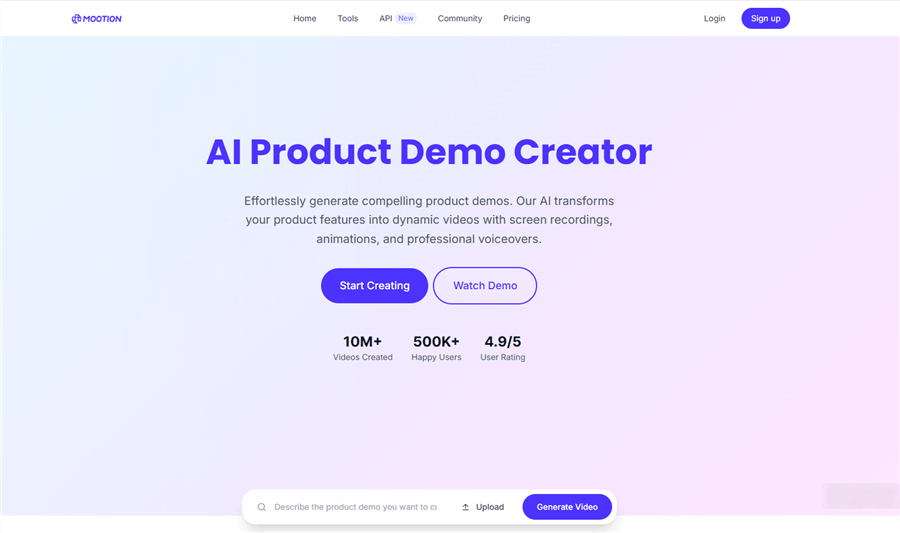
Mootion is the 2026 breakout star for "Zero-Recording" demos. Instead of recording your screen, you provide a text prompt or a script, and Mootion generates the video assets, UI animations, and transitions for you.
Best for concept-stage products, marketing brochures, or when you need to create volume (e.g., 50 specific use-case videos) without manual effort.
Key Features for 2026:
- Prompt-to-Video: Describe a feature, and the AI generates a professional animation of that feature in action.
- Multi-Modal Input: Upload a screenshot or a PDF, and Mootion will turn it into a structured video story.
- Realistic Voiceovers: Built-in "ultra-realistic" voices that match your script's emotional tone.
- Speed Benchmarks: Outperforms traditional editors by 65% in production speed.
Pricing:
- Standard: $15/mo (1,500 credits, watermark-free).
- Plus: $25/mo (3,000 credits, faster generation).
- Pro: $50/mo (8,000 credits, prioritized rendering).
Pros: No recording required; great for creating "hype" videos and high-volume content.
Cons: AI-generated UI might not always 100% match your actual product's current build.
5. Synthesia: The Best for Global Scale & Presentations
When your demo needs a "face" but you don't have a spokesperson, Synthesia is the answer. Using hyper-realistic AI avatars, you can turn a script into a professional presentation in minutes.
Best for corporate training, global product launches, and educational demos that require a consistent, professional presenter.
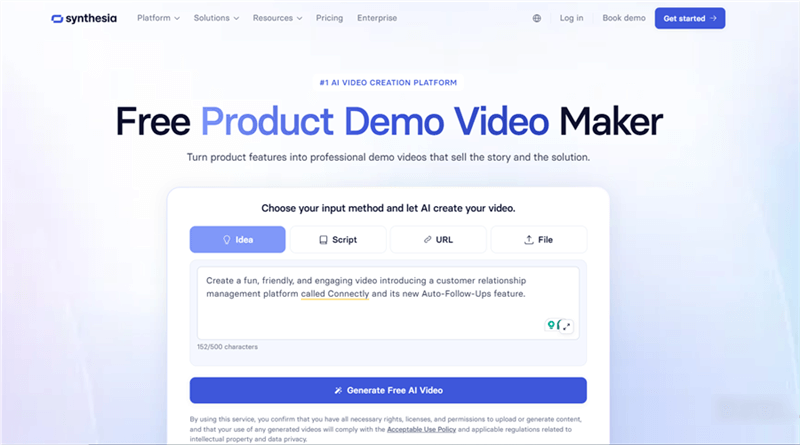
Key Features of Synthesia:
- 140+ Languages & Voices: Record once in English and localize into 130+ languages with perfect lip-syncing.
- Personal Avatars: Create a "digital twin" of yourself or your founder to maintain brand consistency.
- 1-Click Translation: Translate entire video projects instantly.
- Built-in Screen Recorder: Layer your AI avatar directly over screen recordings for a "guided" feel.
Pricing:
- Free: $0 (Limited credits, 360/mo).
- Starter: $18/mo (Billed yearly; 1 editor, 10 mins of video/mo).
- Creator: $64/mo (Billed yearly; 30 mins of video/mo, branded templates).
Pros: Unbeatable for global localization; creates a "human" connection without a camera crew.
Cons: Avatars can still feel "uncanny" for highly emotional or high-energy marketing.
6. TechSmith Camtasia: The Best for Technical Mastery
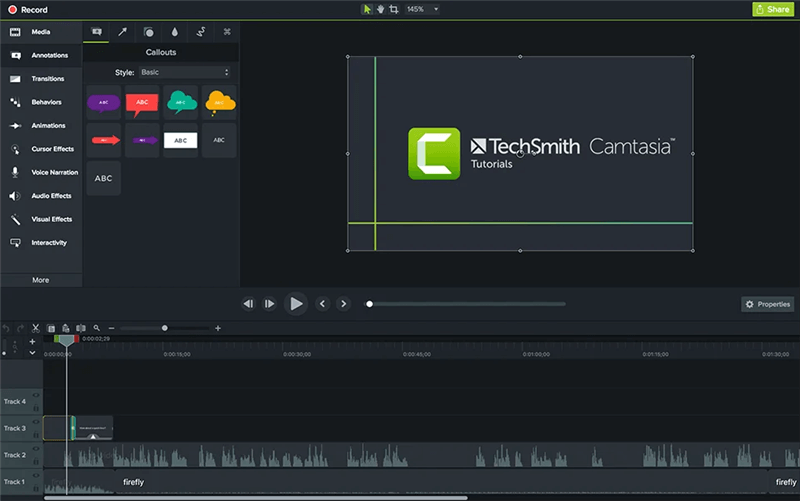
Camtasia is the "Old Reliable" of the group. While it is a desktop-based subscription, it remains the most powerful tool for granular control over screen recordings.
Best for technical writers and instructional designers who need to create deep-dive, 20-minute masterclasses with complex annotations.
Key Features for 2026:
- Multi-Track Editing: A professional timeline that allows for complex layering of audio, video, and callouts.
- Interactive Quizzing: Add quizzes directly into your video to ensure viewers are learning (great for SCORM/LMS).
- Cursor Smoothing: Automatically cleans up "shaky" mouse movements from your recording.
- AI-Generated Avatars (New): Higher tiers now include AI presenters to compete with web-based tools.
Pricing:
- Essentials: $179.88/year (Standard editing and recording).
- Create: $249/year (Adds AI script generation and voiceovers).
- Pro: $599/year (Includes AI avatars and 100M+ premium assets).
Pros: Total creative control; professional-grade features for educators.
Cons: Steep learning curve; high annual commitment; requires a powerful computer.
3 Mistakes Killing Your Demo Conversions
Even the best tools fail if your demo makes these common mistakes. Based on 2026 conversion data, here’s what most marketers get wrong:
Mistake #1: Feature Dump Instead of Outcome Hook
Showing buttons before value kills interest. Open with the problem you solve. Replace “Here’s our dashboard” with “Wasting 10 hours a week on manual reports? Here’s how to automate it in one click.”
Mistake #2: Ignoring the Zero-Sound Viewer
Over 70% of B2B videos are watched on mute. Voice-only demos lose most viewers. Add captions and visual cues. Tools like Poindeo make your demo clear even with the sound off.
Mistake #3: No Micro-CTA
Waiting until the end to ask for action costs conversions. Add micro-CTAs throughout. After your best feature, prompt “Book a Demo” or “Try It Free.”
Conclusion
In the world of SaaS, the "Perfect Demo" is the one that gets watched. Don't let the fear of technical editing slow down your marketing engine. Whether you choose the interactive power of Supademo, the global scale of Synthesia, or the browser-based speed of Poindeo, the goal remains the same: show your value as clearly and quickly as possible.
Ready to transform your product screen into a high-converting sales asset?
Try Poindeo for free today and see why 2026 is the year of the effortless demo.
FAQs on Product Demo Makers
What is the ideal length for a product demo video in 2026?
For top-of-funnel marketing (social media or landing pages), keep your demo between 60 and 90 seconds. In 2026, attention spans are shorter than ever. If you are creating a deep-dive technical tutorial for existing users, you can extend this to 5–10 minutes, but always provide "chapter markers" for easy navigation.
Should I use a browser-based tool or a desktop app?
It depends on your goal. Browser-based tools (like Poindeo) are best for speed, marketing-ready polish, and ease of use. They allow you to record and edit without heavy downloads. Desktop apps (like Camtasia) are better suited for complex, multi-track editing and high-resolution technical documentation where you need 100% offline control.
Is an interactive demo better than a video demo?
Both serve different stages of the funnel. Interactive demos (like Supademo) are excellent for bottom-of-funnel sales where a prospect wants to "touch" the product. Video demos are better for social media sharing, storytelling, and building an emotional connection through voice and motion. Most successful startups use a combination of both.
Do I need professional equipment to record a demo?
In 2026, no. Most AI-powered demo makers now include AI audio enhancement that removes background noise and improves voice quality automatically. As long as you have a stable internet connection and a clean browser window, tools like Poindeo handle the "studio-quality" lighting and background effects for you.
Can I use AI voices for my product demos?
Yes. In 2026, AI voice synthesis is nearly indistinguishable from human speech. Using AI voices allows you to update your demo scripts instantly without re-recording audio. However, for a high-stakes "Founder’s Intro," using your own voice can still add a layer of authenticity that builds stronger trust.