How to Use Poindeo for Chrome to Record Video
Add to Chrome
Install the Poindeo extension from the Chrome Web Store. Click the Poindeo icon to start.
Record with Auto-Zoom
Choose to share a browser tab, application window, or your desktop. Enable your default camera or microphone if needed. Set preferences, including cursor style, click effect, and countdown. Hit Start Recording and demonstrate your workflow with auto zoom effects.
Edit and Save
Click the Stop button to finish recording, and the recording instantly opens in the Poindeo online editor. Here you can trim your video, fine-tune the automatic zooms, generate subtitles, and export your creation.
Why People Choose Poindeo for Chrome
Automatic Zoom & Pan Effects
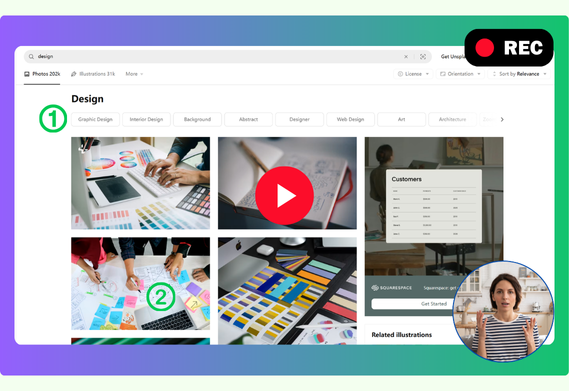
Poindeo Chrome extension allows you to record your screen & camera. It tracks your clicks and automatically adds smooth zoom effects. You can easily record your workflow, showcase a product, or explain an image or file with auto-zooms that focus your audience's attention.
Everything You Need Online
No more downloading desktop software to record and add zoom effects manually. The instant you finish recording, your video is ready with zoom-in, highlighted cursor, and click effects. It's the fastest way to get from idea to finished video, right in your browser.
Go from Recording to Editing
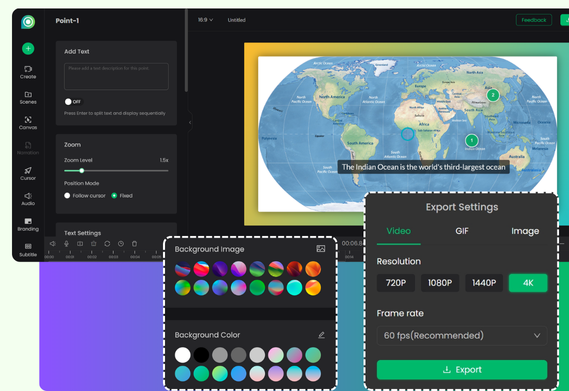
Poindeo pairs smart automation with a full online editor. In the editor, you can easily adjust the zoom level, change its position, add text overlay, or delete it. Or change the padding background, generate subtitles, and add music or branding for your video. Finally, export it as a high-quality MP4, GIF, or frame image.
Who Uses Poindeo to Record and Create
Product Managers & Marketers
Create product demos and software tutorials with voiceover that highlight key features and steps. Record helpful how-to videos to explain complex workflows with perfect clarity.
Educators & Teachers
Record teaching materials and create lessons that are engaging, clear, and easy for students to follow. Or combine screen recordings, video clips, and images to build comprehensive lessons.
Content Creators & Influencers
Share any demonstration, quickly resize your videos for YouTube, TikTok, and Instagram, add your brand watermark, and export as a video or a shareable GIF.
Download the Poindeo Chrome Extension
Start creating amazing videos with auto zoom in seconds.
Get to Know More about Poindeo for Chrome
Is the Poindeo Chrome extension free?
Yes. The extension is free to install and use — unlimited recording with the full editor. Pro unlocks watermark-free exports up to 4K, plus custom branding for your videos.
Can I adjust the auto-zoom effects?
Yes. After recording, you can go into the editor and adjust the zoom level, add text description, change zoom position, delete, or even add new zoom effects to get your video just right.
Is my video safe?
Yes. Your recording opens instantly in the Poindeo online editor, and everything is processed locally in your browser. Poindeo doesn't store your content or upload your data to the cloud.